Attendance

Set working hours for office and workgroup
Workbeat
22 Sep 2025 7:16 AM
Setting up working hours will enable time tracking for the selected work group and to ensure that salary proration is calculated accurately.
Path : Attendance > Settings > By Workgroup
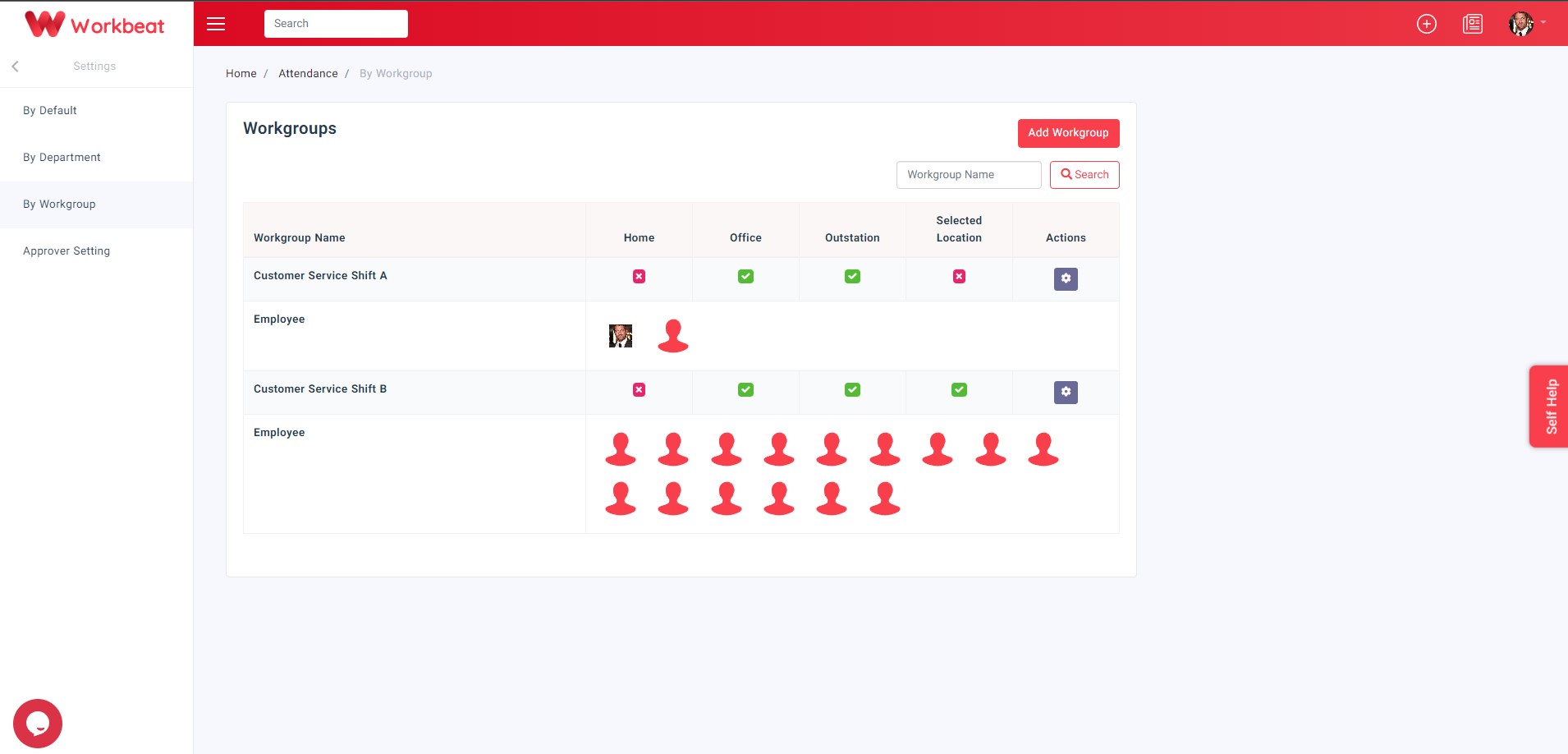
Add New Workgroup
Click on the Add Workgroup button to add new attendance workgroup.
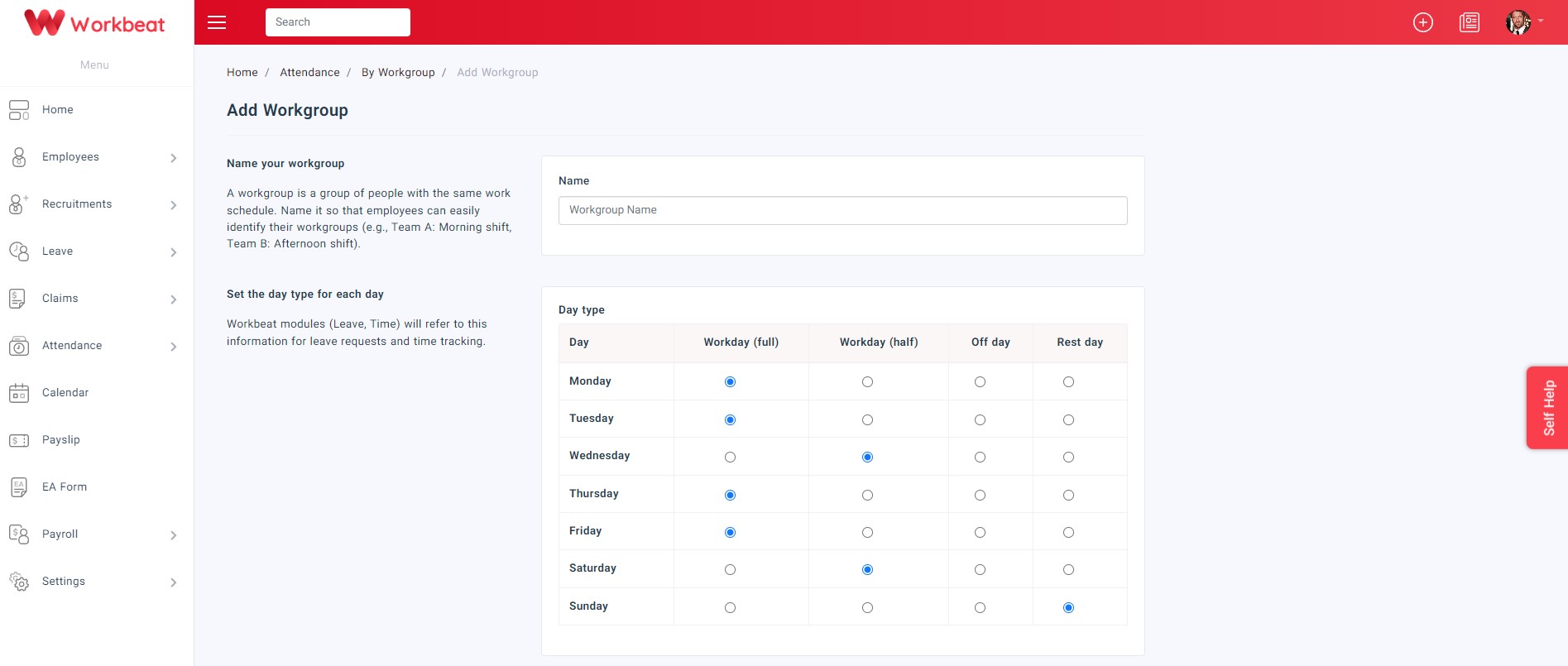
Here you can customize the workgroup working schedule.
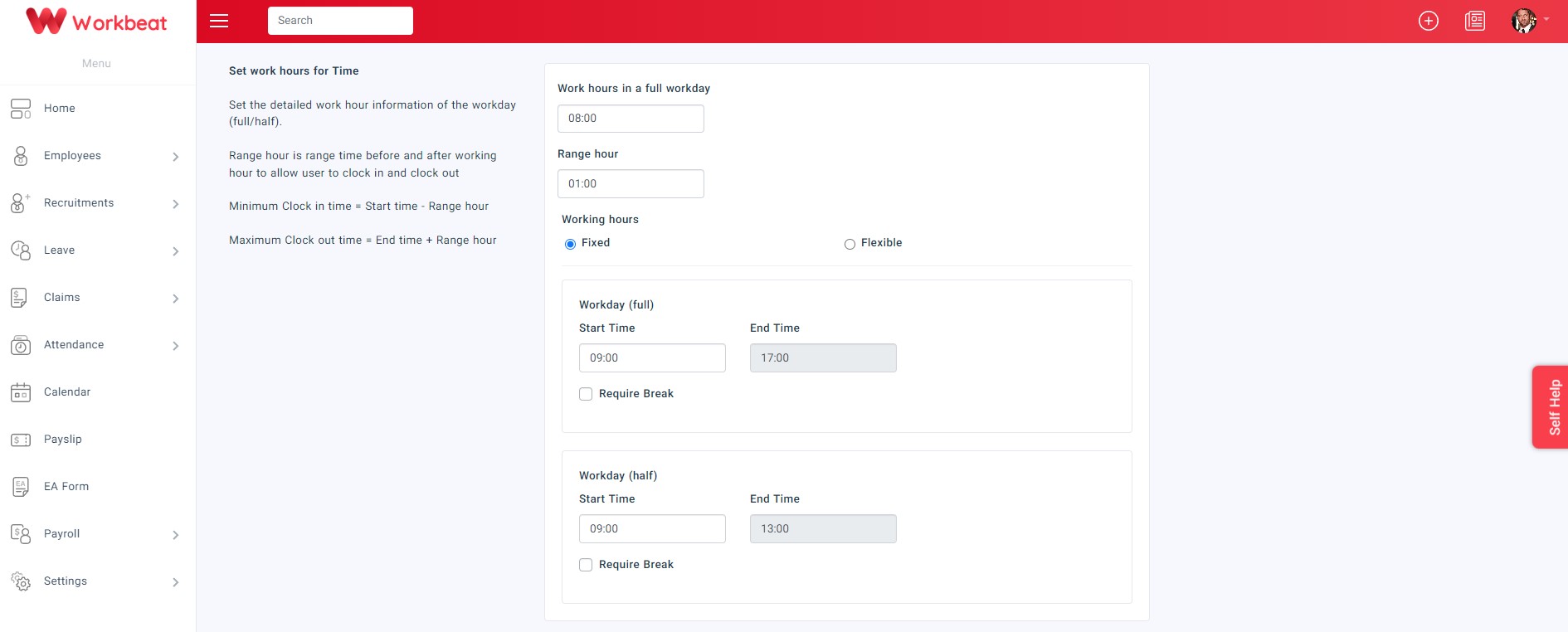
Set up the start time and end time of the employee working hours (Flexible or Fixed Working Hours)
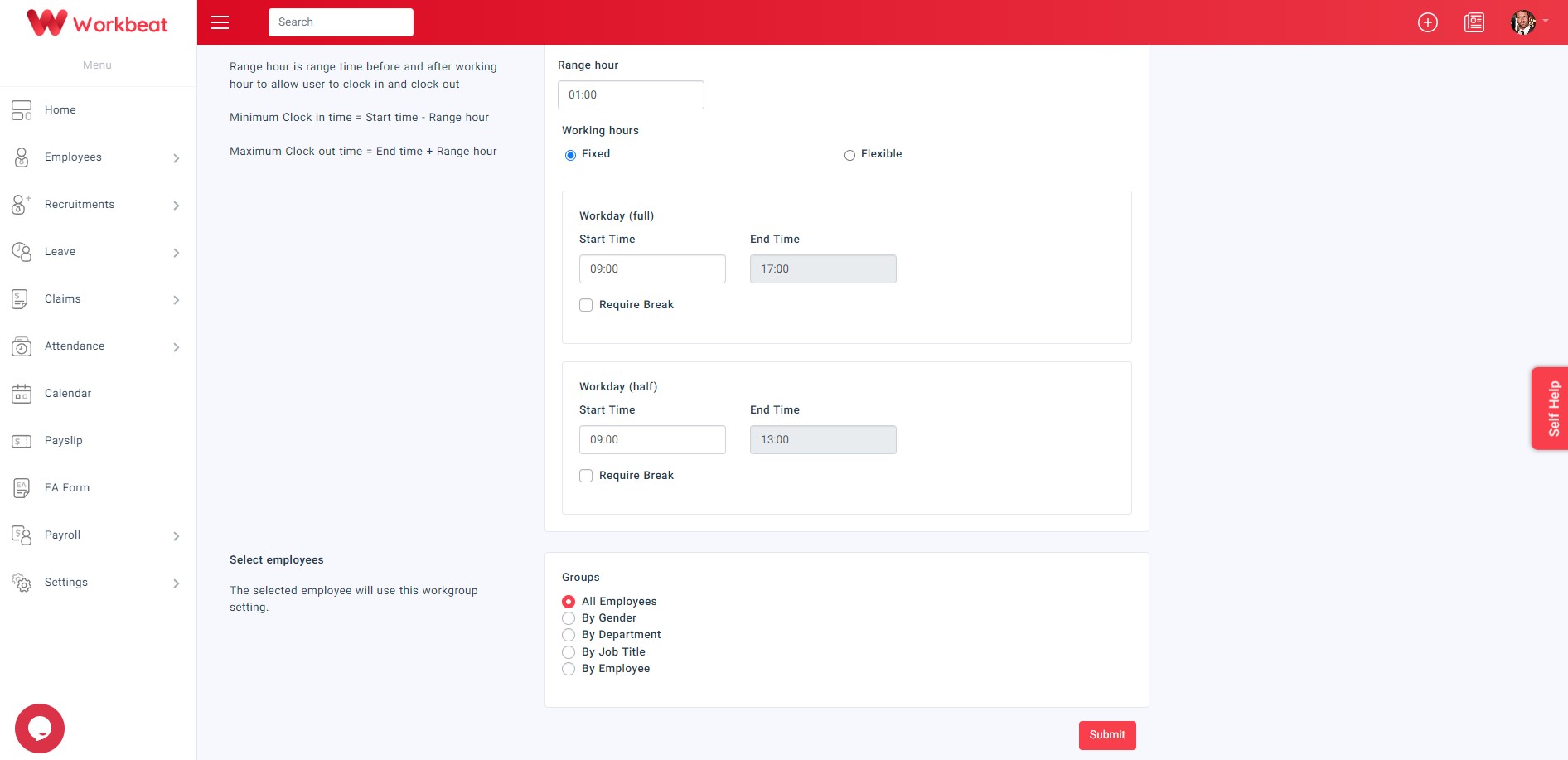
You can also set the workgroup by All Employees, Gender, Department, Job Title or Employee.
Flexible Working Hours refers to a schedule that allows employees to start and finish their workday with flexibility. This means that employees can come to work earlier or later than the set time Fixed Working Hours a timetable that generally consists of the same number of hours and days worked per week.