Claim types settings

Claim types settings
There is no default claim type in this setting as every company may have different policies on the types of claims. However, the system requires at least one claim type before employees can start using Workbeat Claims.
Path : Claims > Settings > Claim Types
Click on Add Claim Types to create a new claim type.
Insert updated screenshot of the Add Claim Type page here.
Fill up the form based on your company claim policy.
Claim Limits
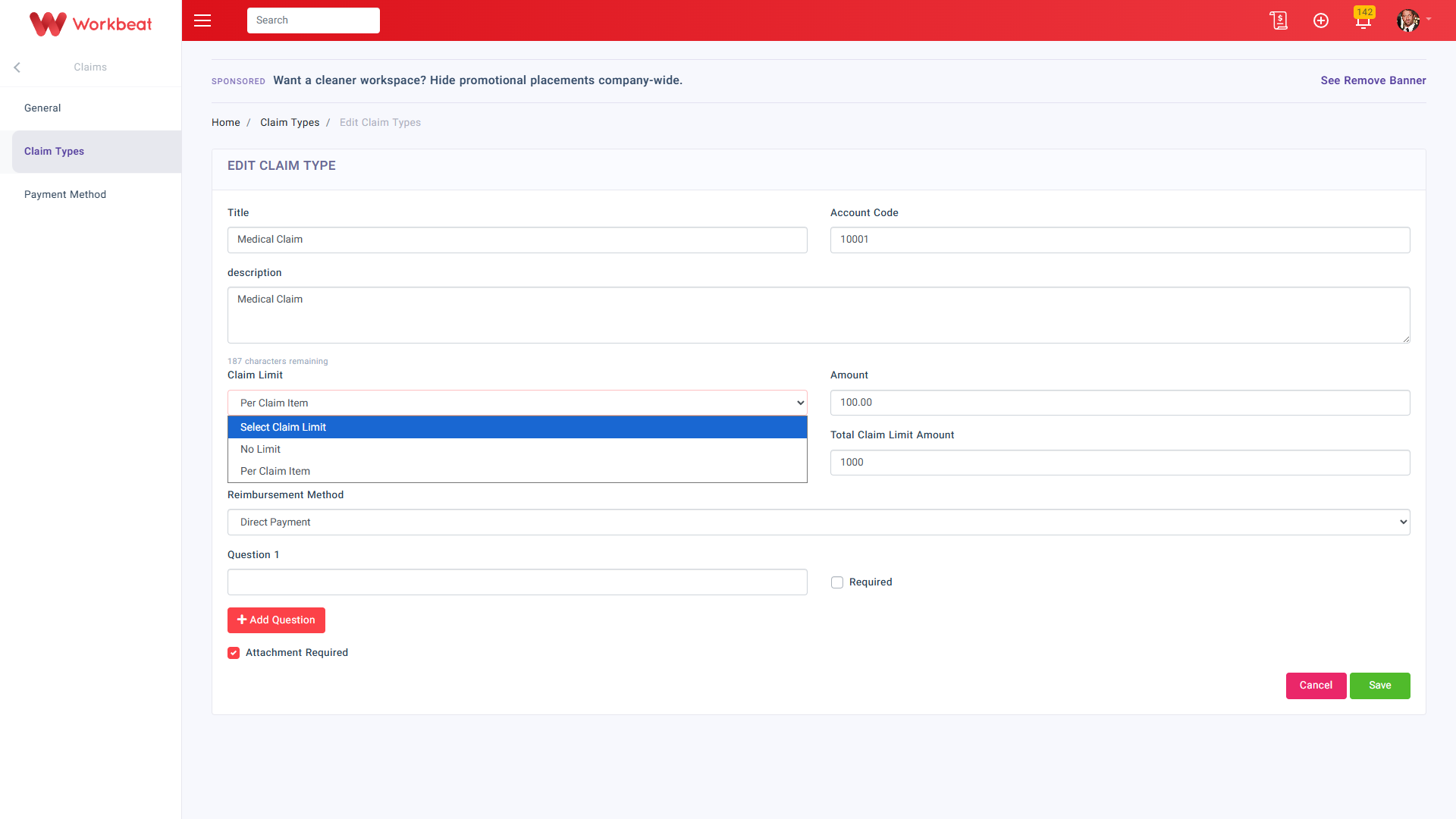
There are usually limits on the amount that can be claimed. In Workbeat, the Claim Limit field controls the limit for each claim submission item.
1. No Limit
Employees can submit claim items without a maximum amount limit for this claim type.
2. Per Claim Item
Use this option when you want to set a maximum amount for each claim item.
Once Per Claim Item is selected, the Claim Limit Amount field will appear. Enter the maximum amount allowed for each claim item.
Example:
If the Claim Limit Amount is set to 100.00, each claim item submitted under this claim type cannot exceed RM100.00.
Total Claim Limit
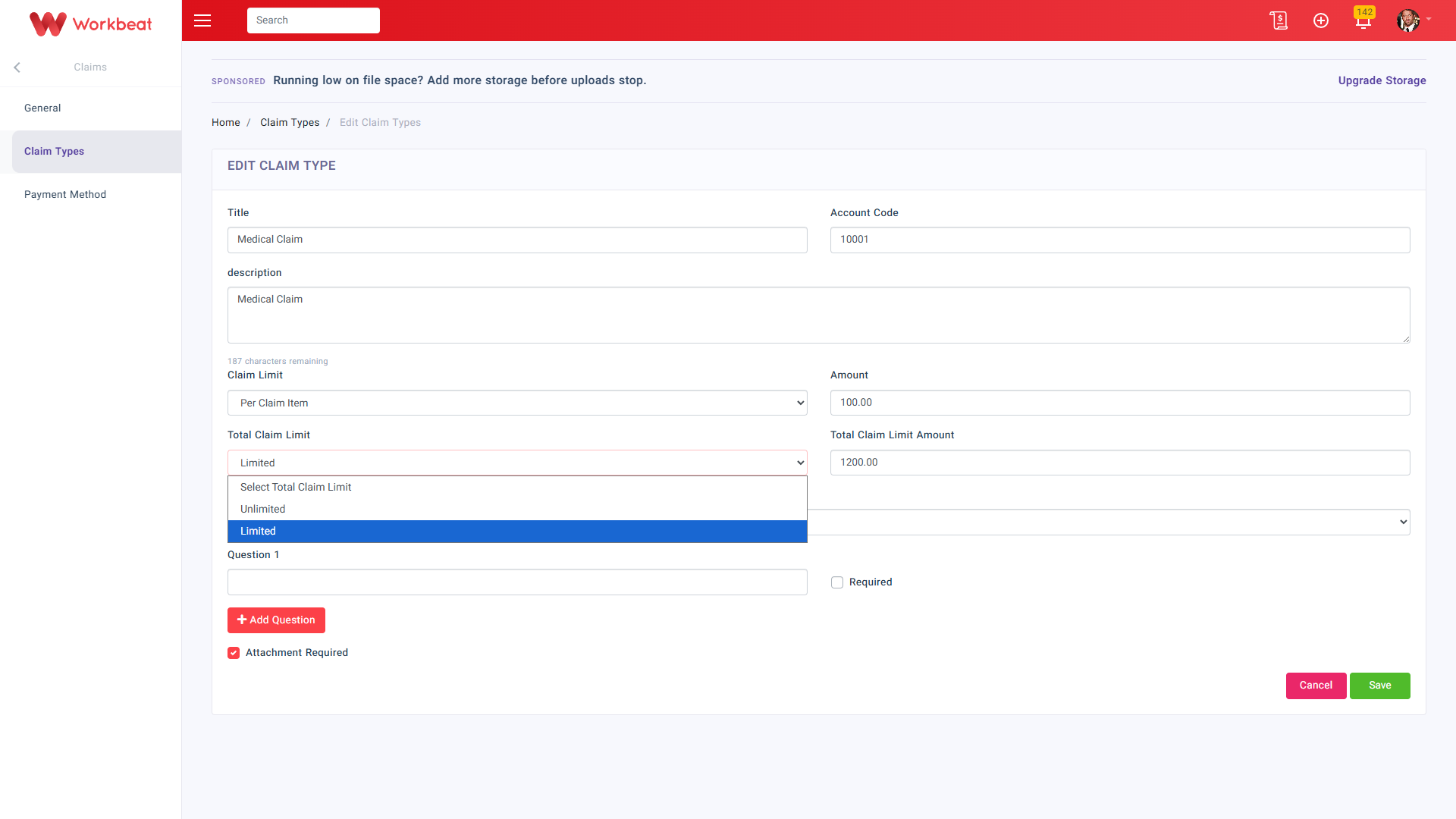
The Total Claim Limit field controls the employee’s total entitlement for the selected claim type.
There are 2 options available:
1. Unlimited
Employees can continue submitting claims for this claim type without a total overall cap.
2. Limited
Use this option when you want to set a maximum total claim amount for the claim type.
Once Limited is selected, the Total Claim Limit Amount field will appear. Enter the total maximum amount that an employee is allowed to claim.
Example:
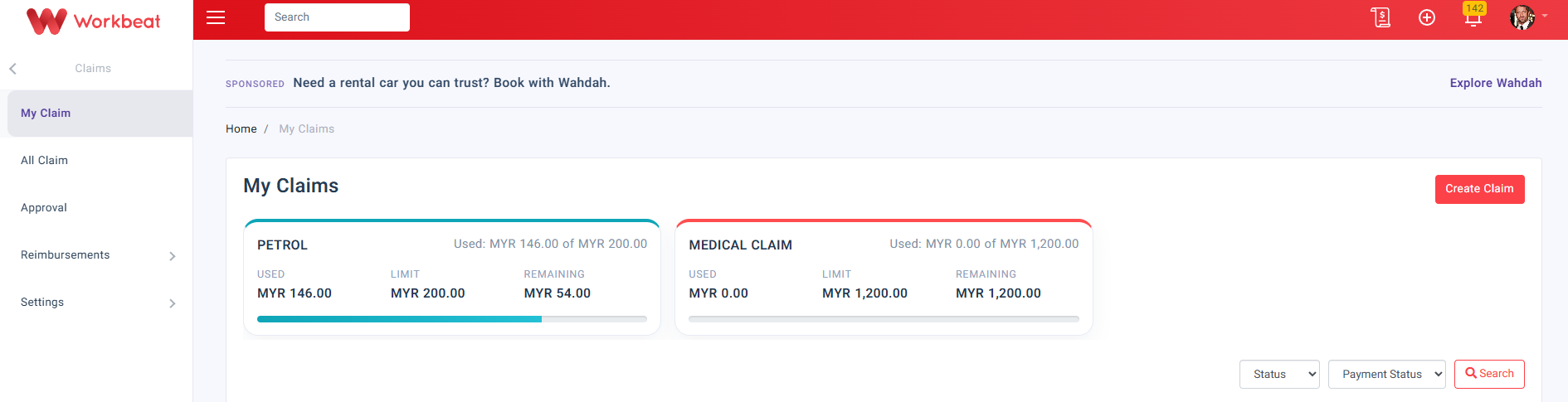
If the Total Claim Limit Amount is set to 1200.00, the employee can only claim up to RM1,200.00 in total under that claim type.
This setting is useful if your company wants to control the full claim entitlement instead of only limiting each claim item.
Reimbursement Method
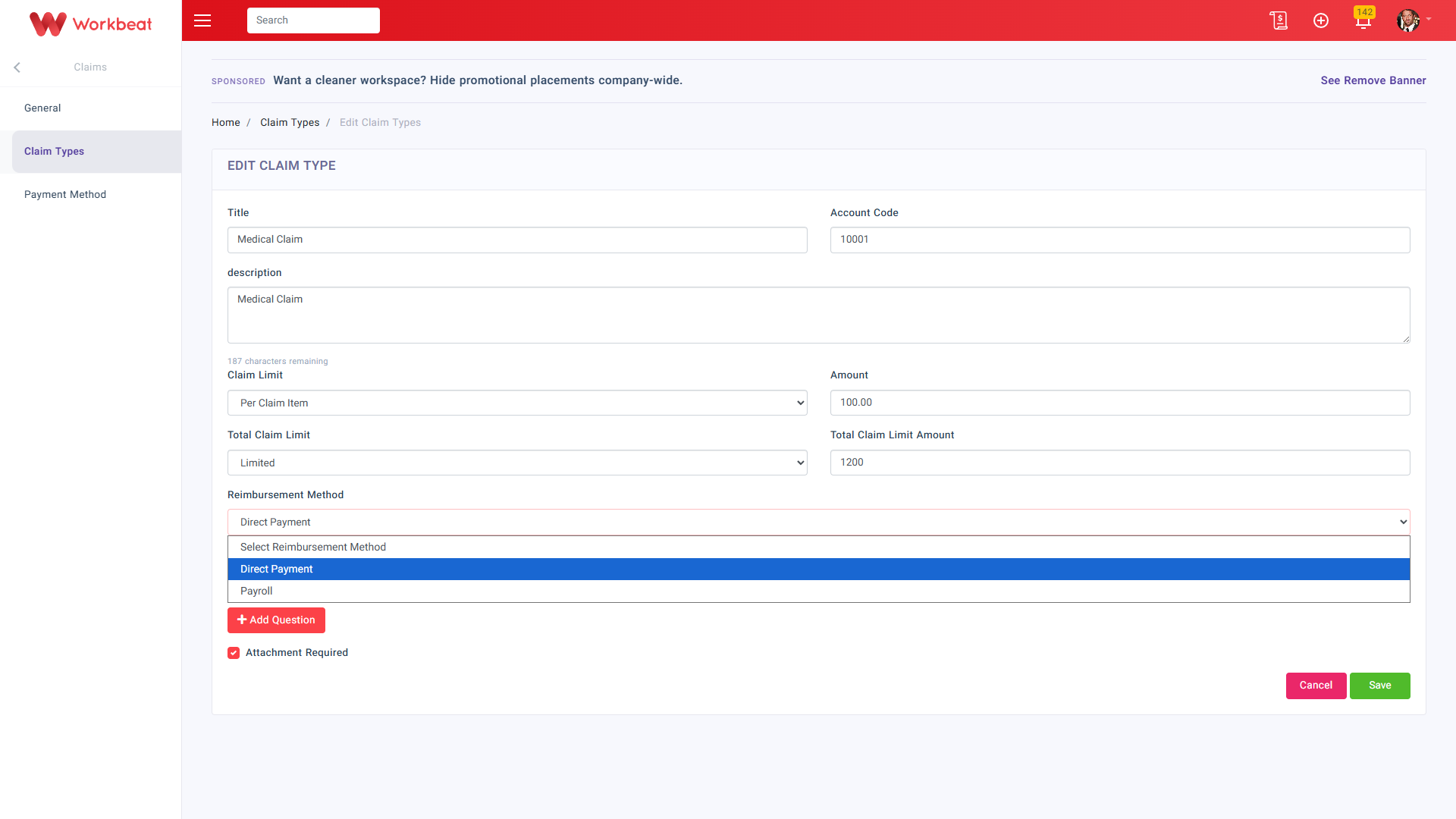
Reimbursement is compensation paid by an organization for out-of-pocket expenses incurred by an employee.
1. Direct Payment
Payment is excluded from payroll.
2. Payroll
Payment will be processed together with the employee’s monthly payroll.
Extra Questions and Attachment
You may add extra questions if additional information is needed when employees submit their claims. You can also mark the question as Required.
If supporting documents are mandatory, tick Attachment Required so employees must upload an attachment during claim submission.