Submit Claim

If you need to use your money for work-related expenses, you can submit your claim here.
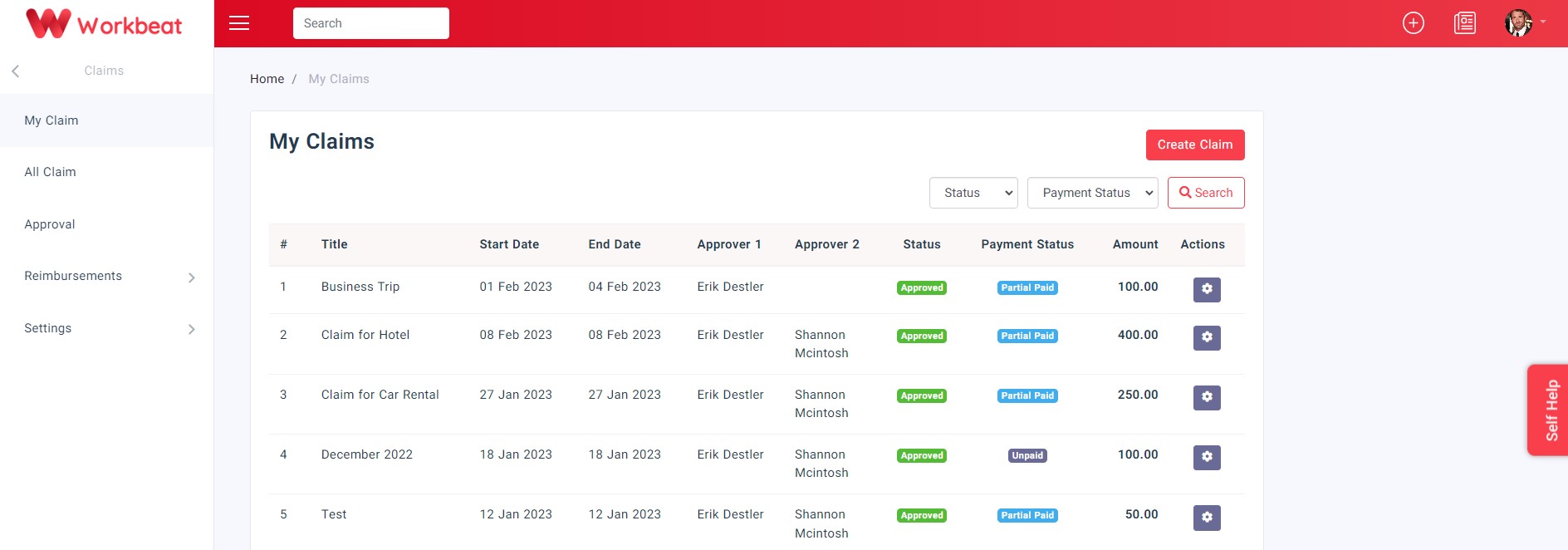
Path: Claims > My Claim
Click the Create Claim button to submit your claim.
Fill in the details about the claim that you want to request.
Some claim types may require additional questions or attachments based on the company claim settings.
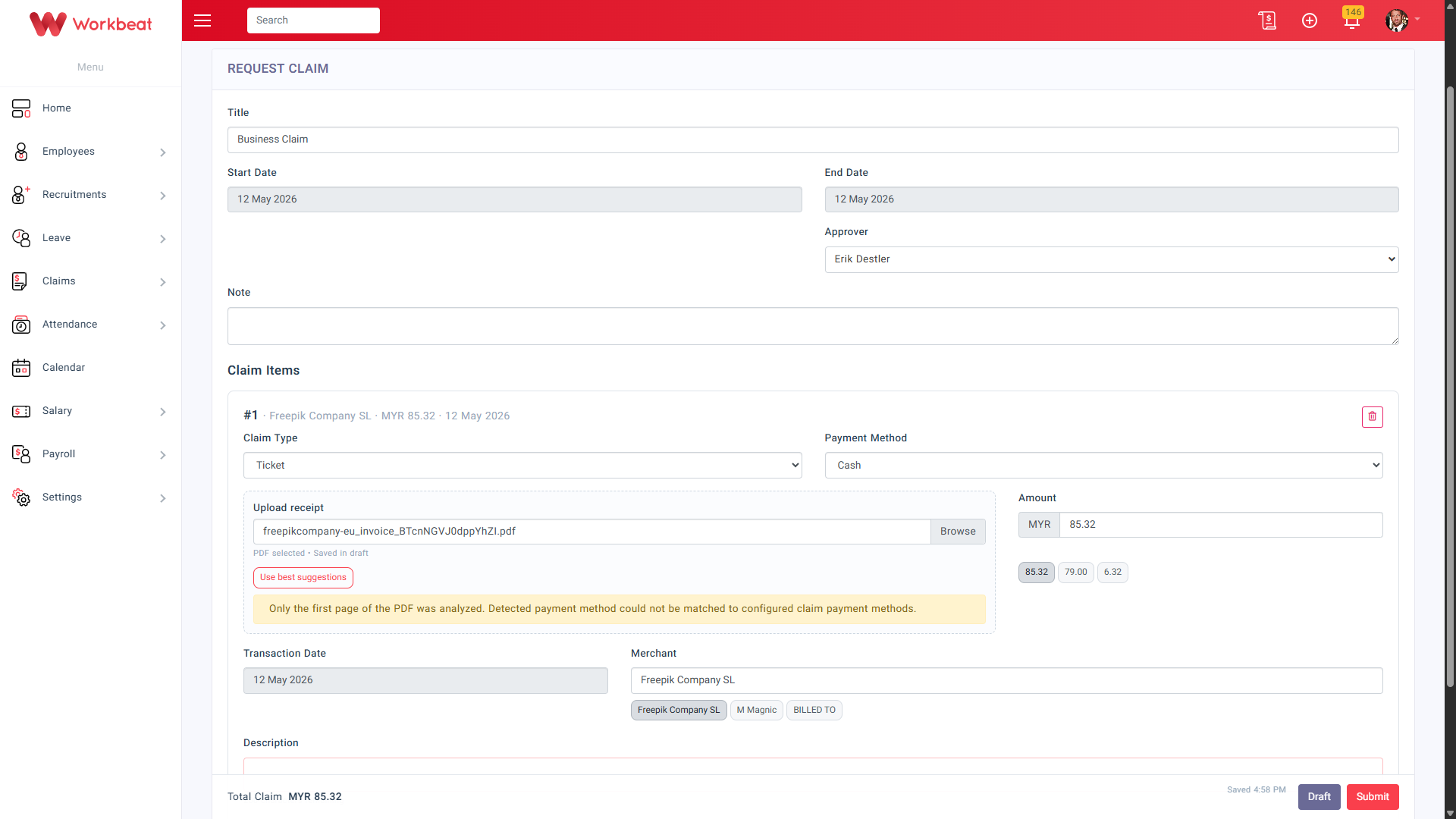
When you upload a receipt, Workbeat will use OCR (Optical Character Recognition) to scan the receipt and suggest details such as the amount, merchant, and transaction date.
Click Use best suggestions to apply the OCR results to the claim item.
If the uploaded file is a PDF, only the first page will be analyzed. If some details cannot be matched, you may still edit the information manually.
If you want to add more than one claim item, click Add Item.
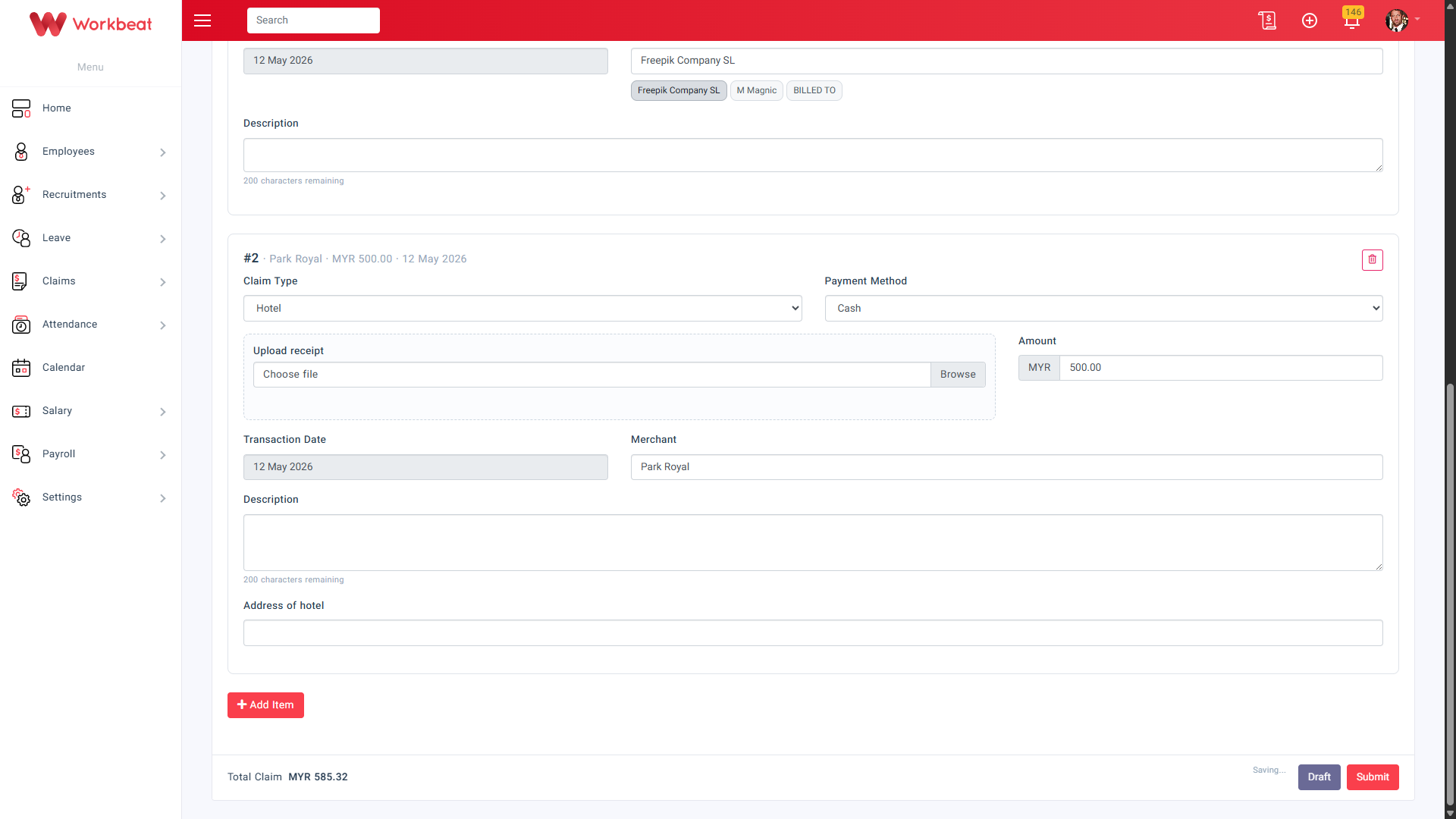
Once completed, click Submit to send the claim for approval.
If you are not ready to submit yet, click Draft to save it first.
After submission, the claim status will appear as pending until it is approved by the approver.