Setting Up Customized Leave Types

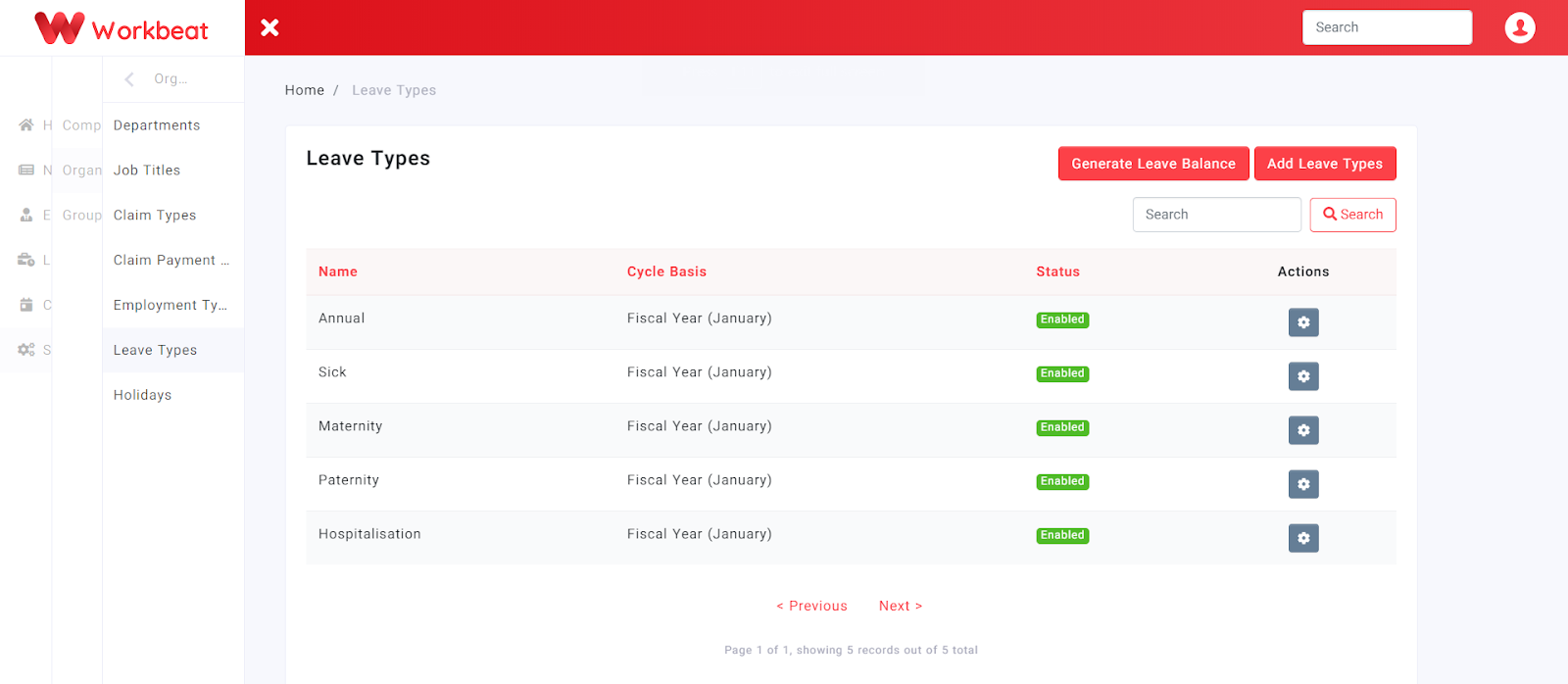
In Workbeat, the most commonly used leave types have been preset for your convenience.
Path : Settings > Organization > Leave Types
Add New Leave Types
Click on the Add Leave Types to add new leave types.
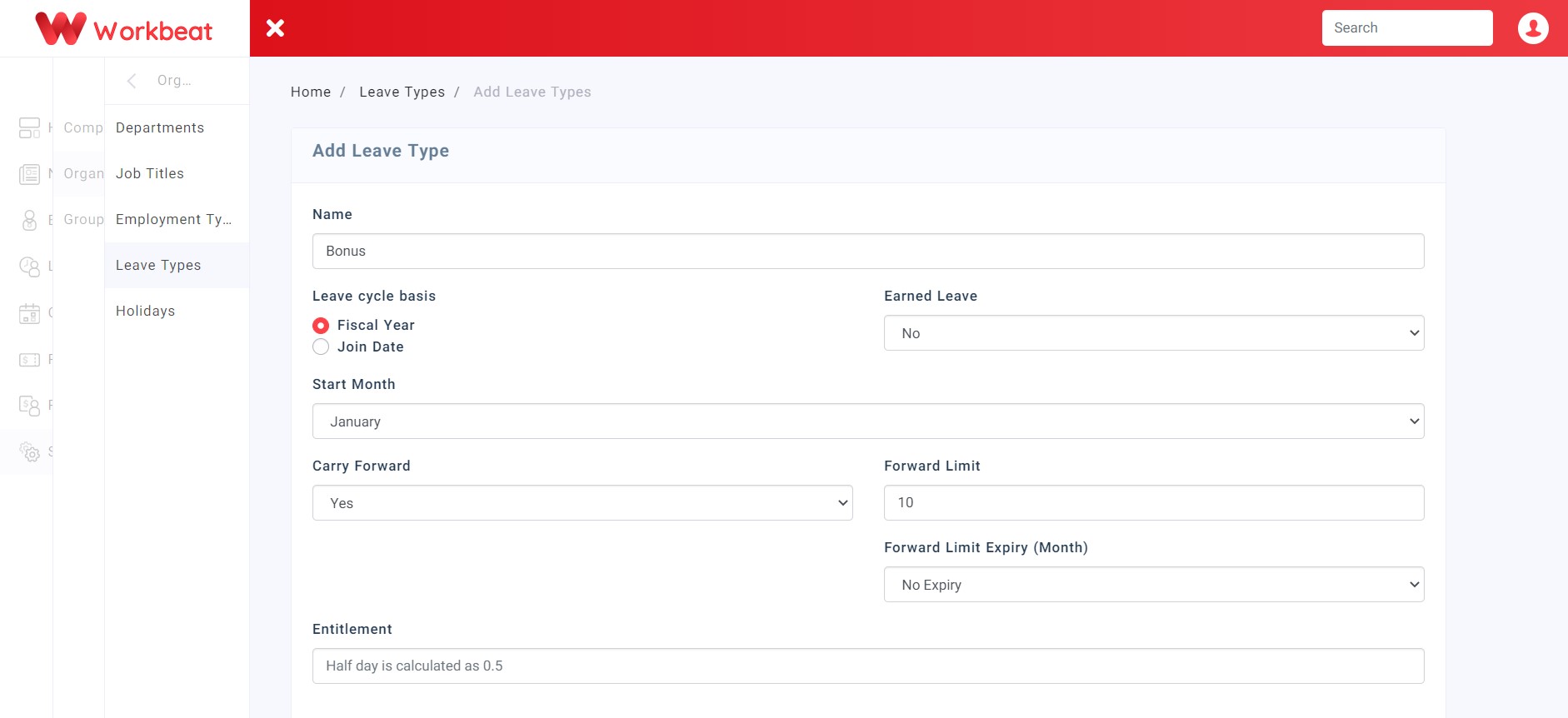
Fill up the form given based on their respective details. For the time being only Fiscal year is working, then select the starting month.
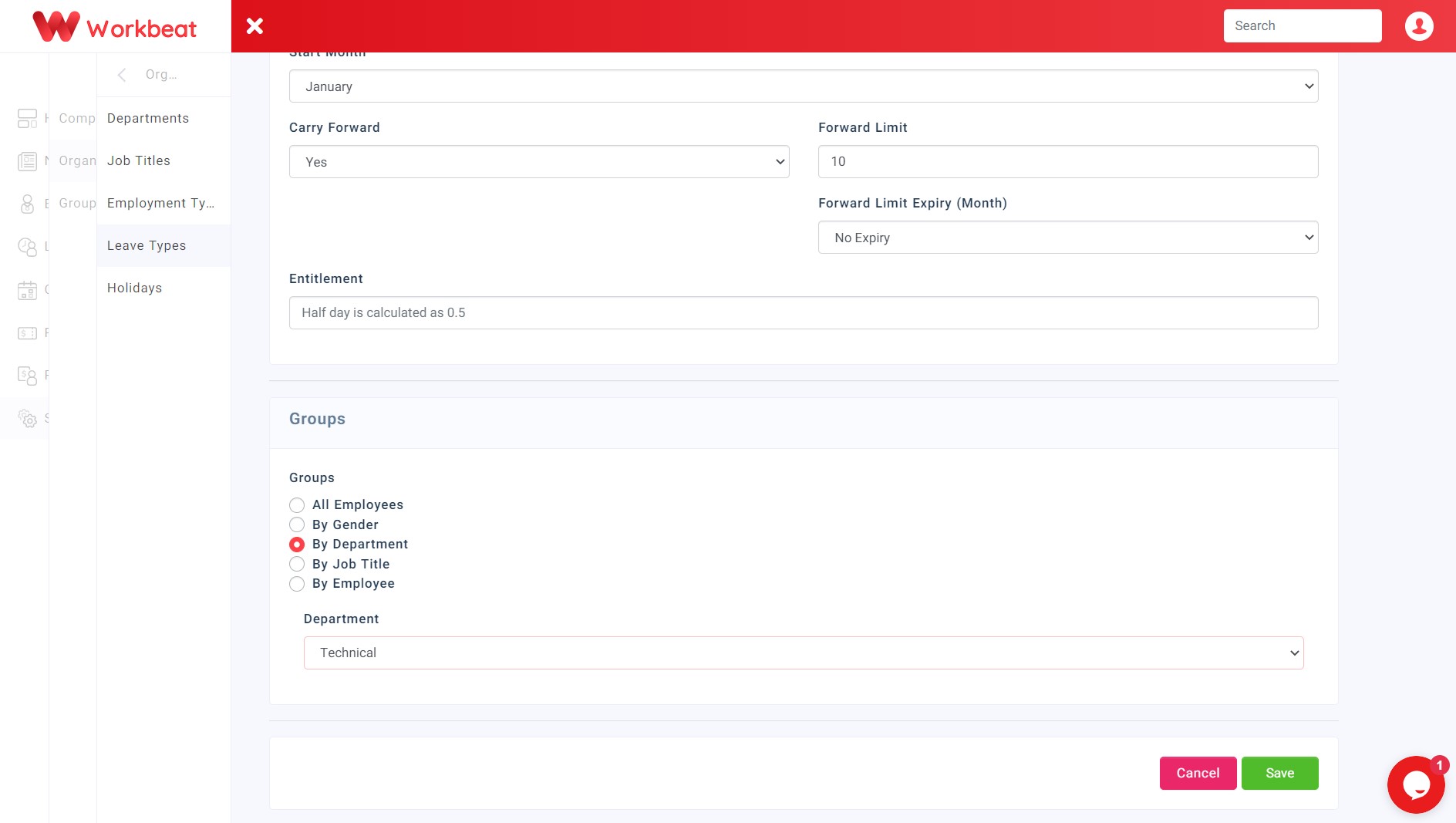
Then you can also group your leave type by Gender, Department, Job Title or Employee.
Configure Employees Leave Type Groups
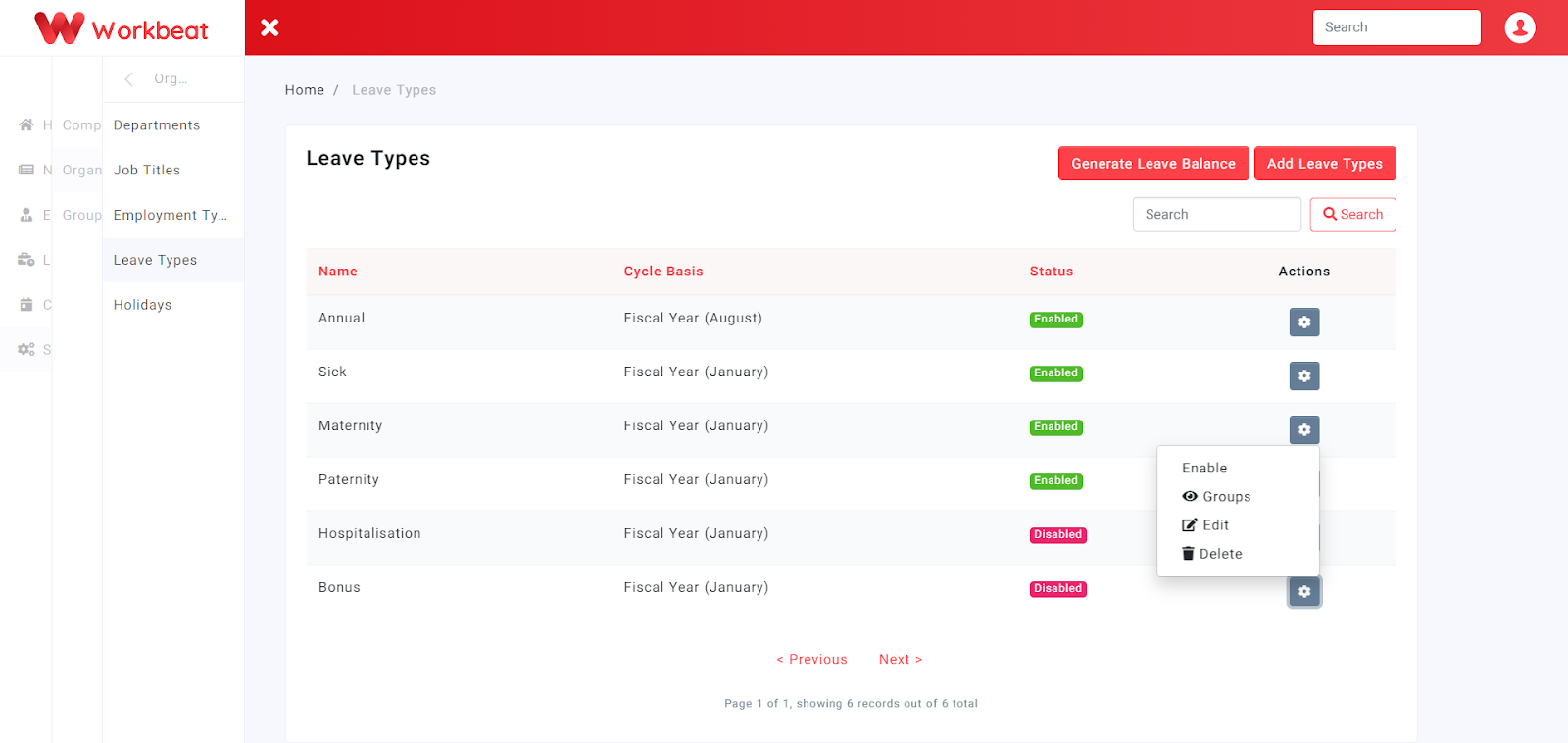
Click on the Groups button to start adding your employees and editing their leave type entitlement.
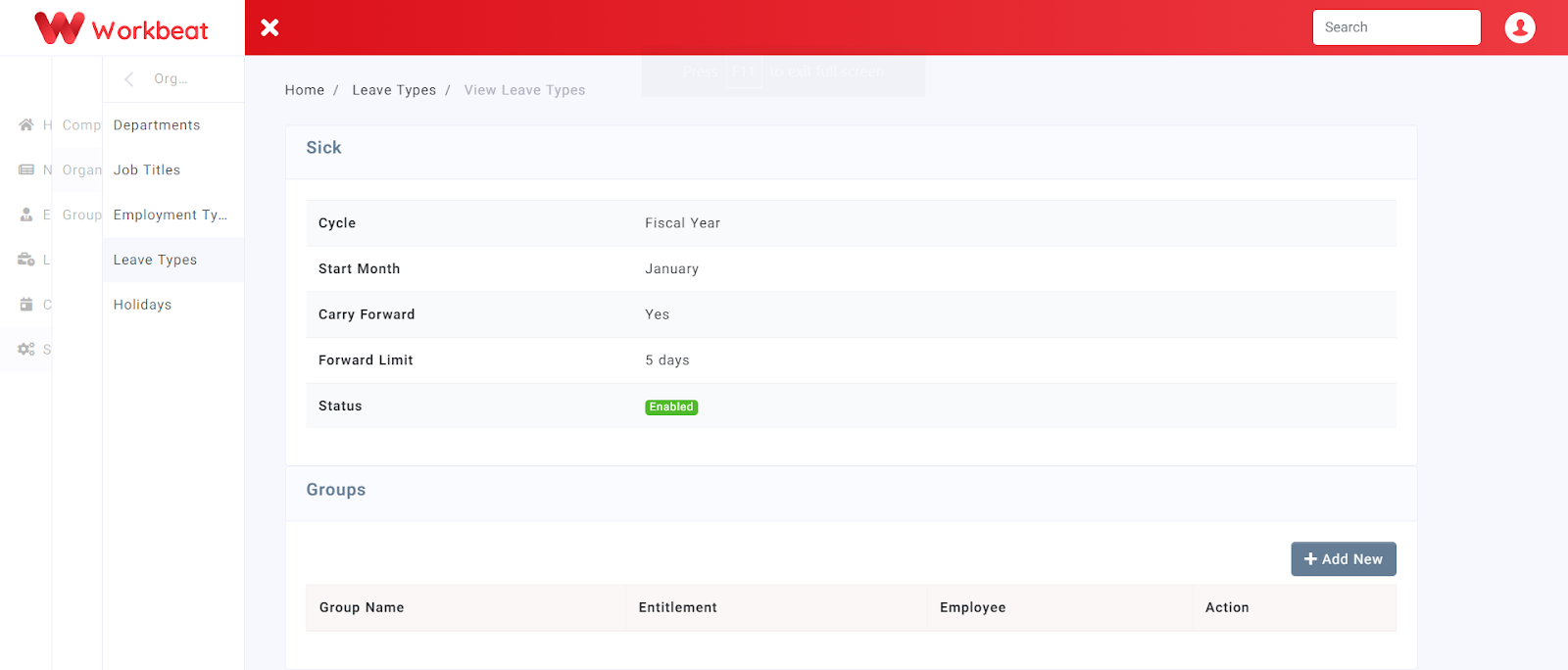
Next, click on the Add New button to create a group for the specific leave type.
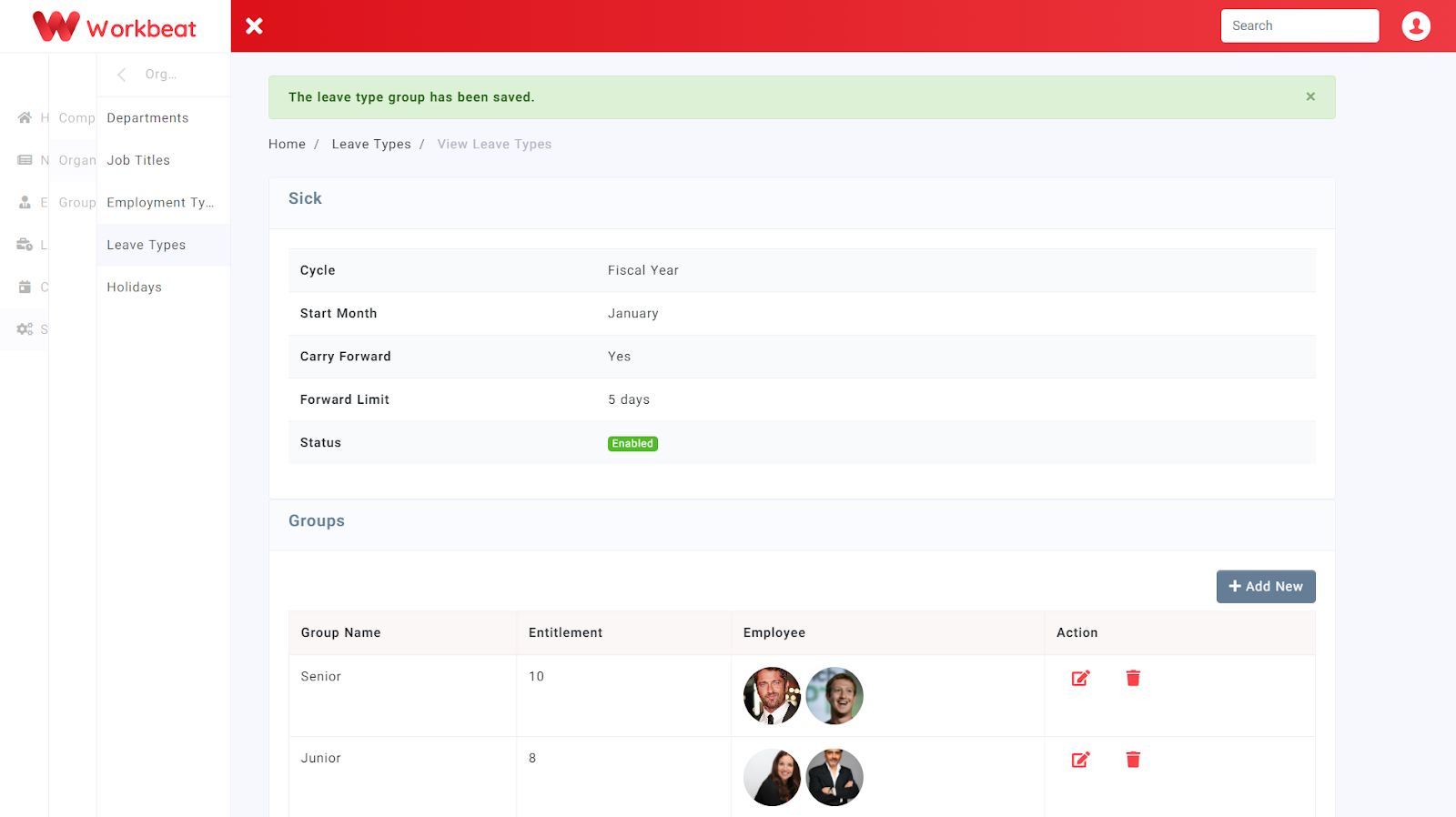
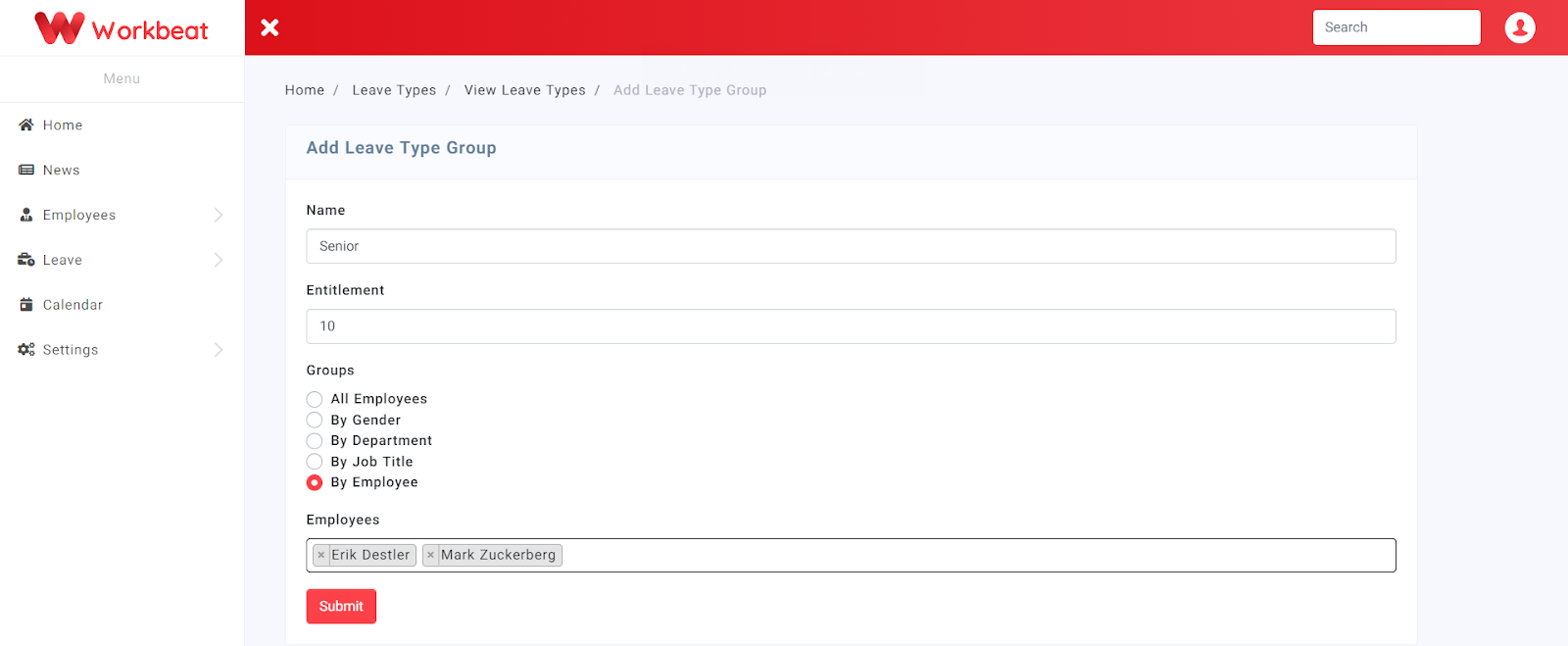
For example, creating a group for Senior employees with an entitlement of 10 days for sick leave . Check the By Employee radio button to manually add employees into the group then click on the Submit button.
Here’s another example with two different group entitlement for sick leave.