Leave

View and Edit employee leave balance
Workbeat
22 Sep 2025 7:16 AM
You can see the various types of leave and entitlements that you have entered in the leave type list here.
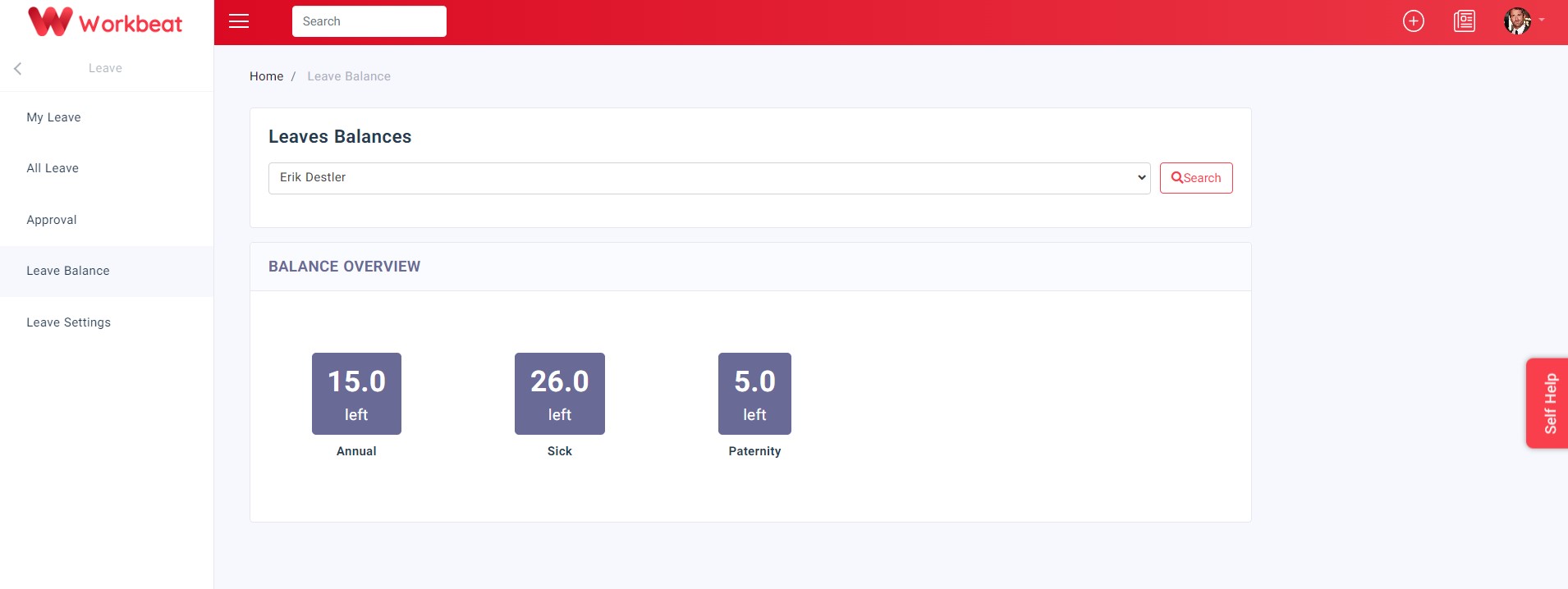
Path: Leave > Leave Balance
1. Select employee
2. Click on the type of leave you want to edit
3. Edit balance either by adding or subtracting relevant days
4. Once completed, click on the Submit button
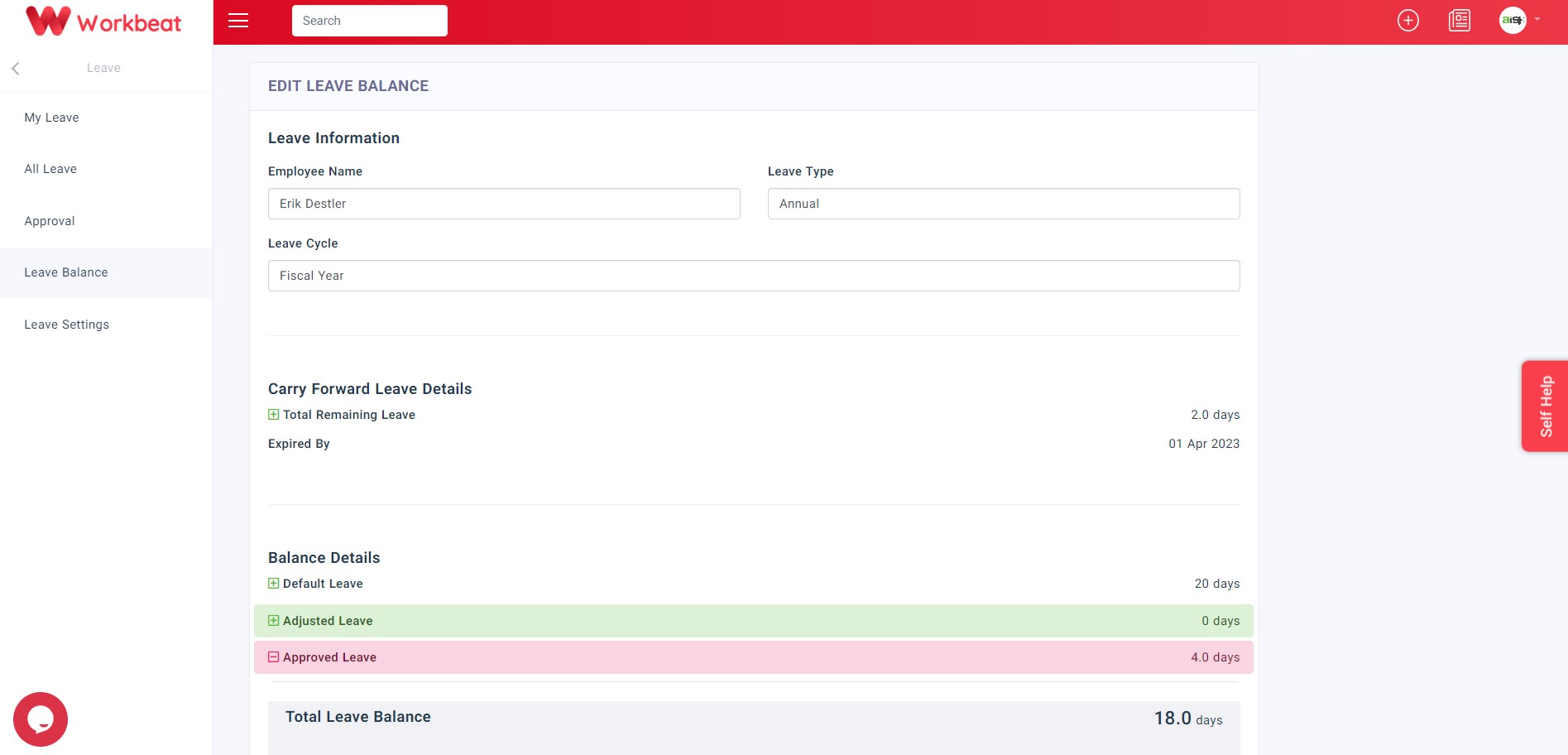
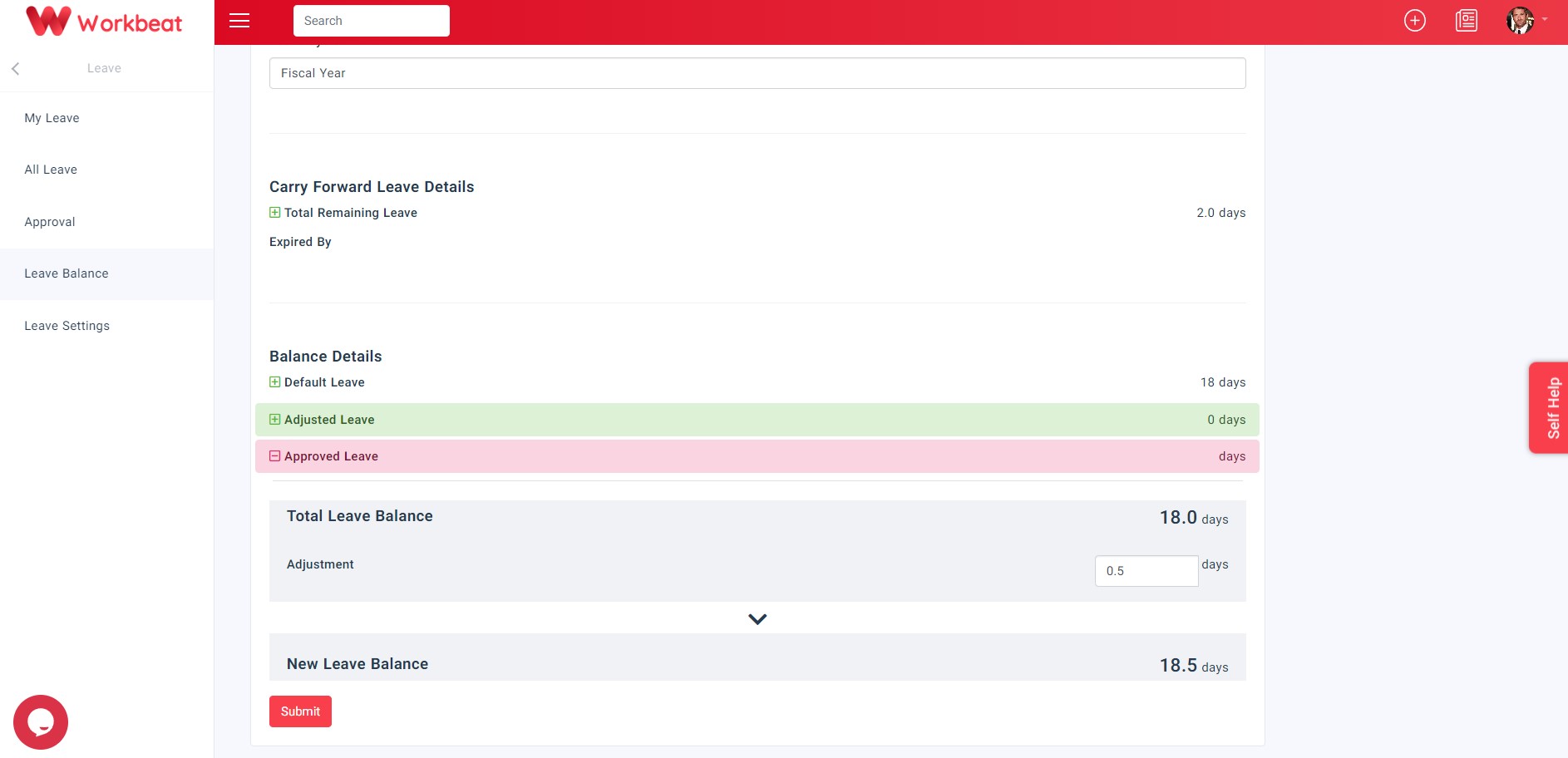
Carry Forward Number of leave carried from the previous leave cycle (only visible if Carry Forward option enabled) Adjusted Leave Depending on whether the adjustment is for leave increment or leave deduction, can be a positive or negative number Approved Leave Number of approved leave