Employee Statutory

The statutory tab is used to set up the employee’s statutory contribution details for payroll processing.
Path : Payroll > Employees > select employee > Statutory
Click Edit to update the statutory details.
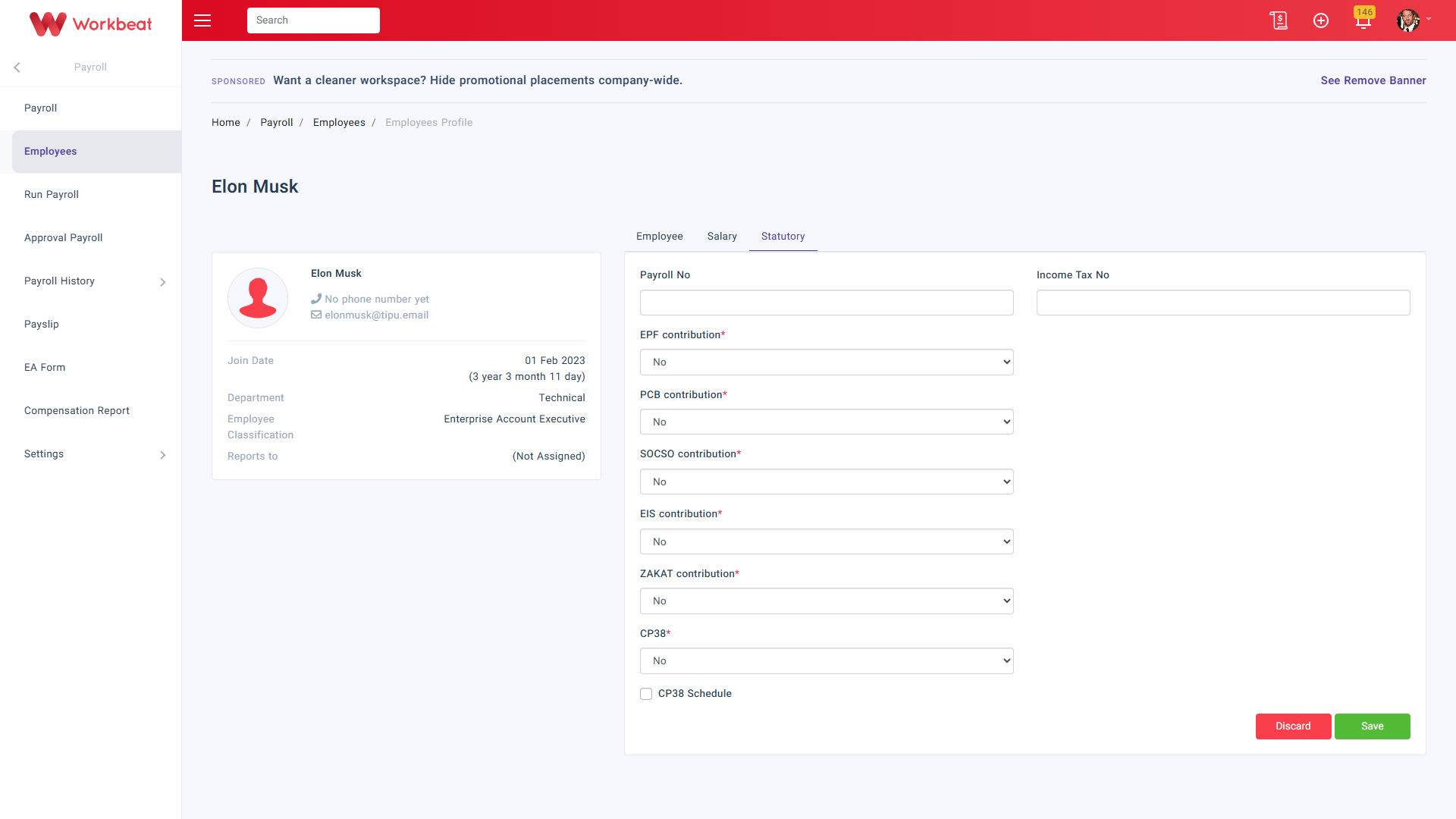
Fill in the statutory information according to the employee details.
Payroll No
Insert the employee payroll reference number if needed.
Income Tax No
Insert the employee income tax number for tax reporting purposes.
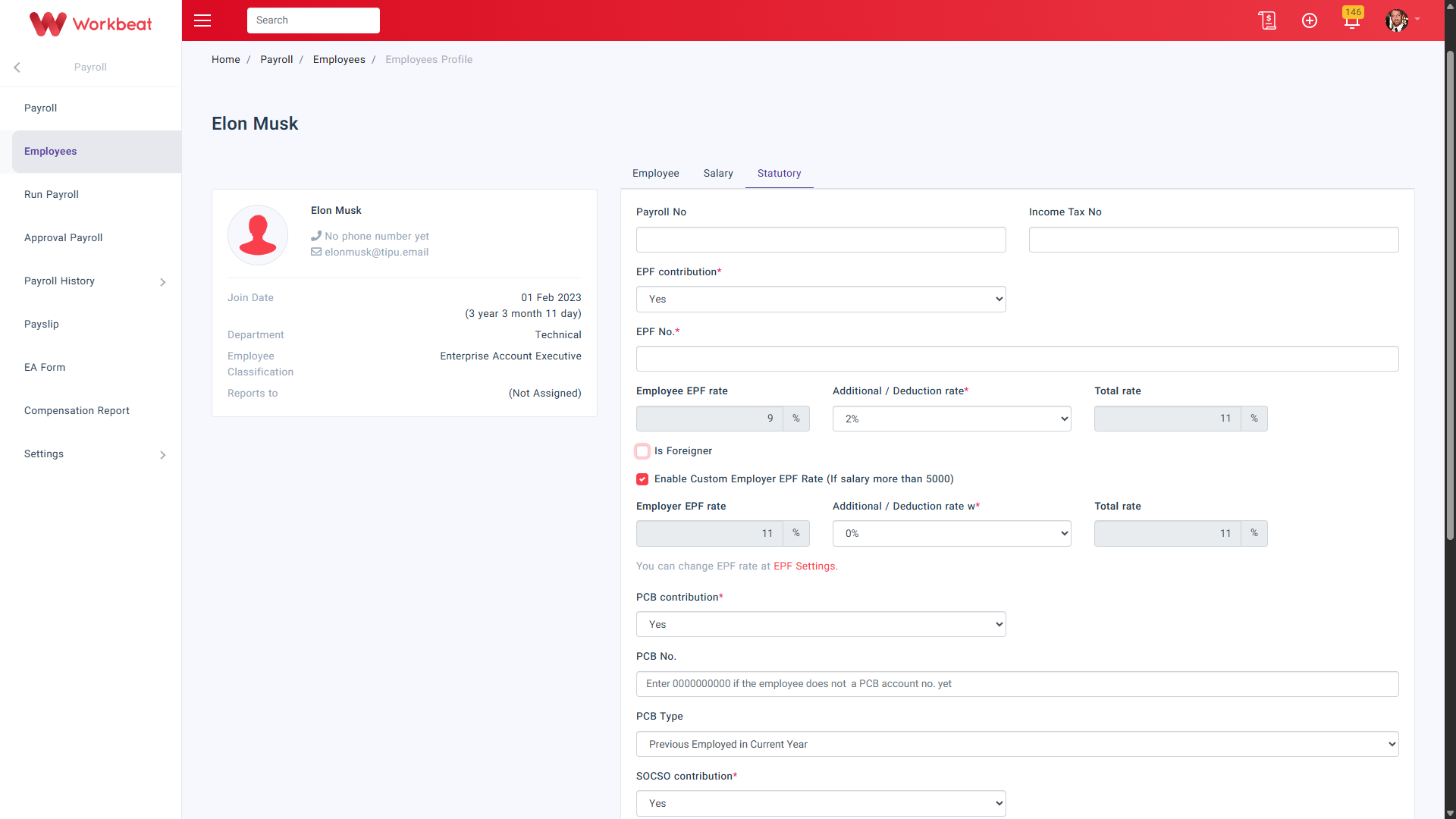
EPF contribution
Select Yes if the employee is subject to EPF contribution.
Once enabled, you may fill in:
-
EPF No.
-
Additional / Deduction rate
-
Is Foreigner
Enable if the employee is a foreigner. This will trigger the EPF calculation based on the foreigner EPF rate.
-
Enable Custom Employer EPF Rate
Enable this to trigger the employer EPF calculation for employees with salary more than RM5,000.
PCB contribution
Select Yes if the employee is subject to PCB deduction.
Once enabled, you may fill in:
- PCB No.
- PCB Type
SOCSO contribution
Select Yes if the employee is subject to SOCSO contribution.
Once enabled, select the SOCSO category.
EIS contribution
Select Yes if the employee is subject to EIS contribution.
Once enabled, select the Contribution rate.
ZAKAT contribution
Select Yes if the employee contributes zakat through payroll.
Once enabled, you may fill in:
- ZAKAT No.
- ZAKAT amount
CP38
Select Yes if the employee has CP38 deduction.
You may also enable CP38 Schedule to set the deduction by effective month and amount.
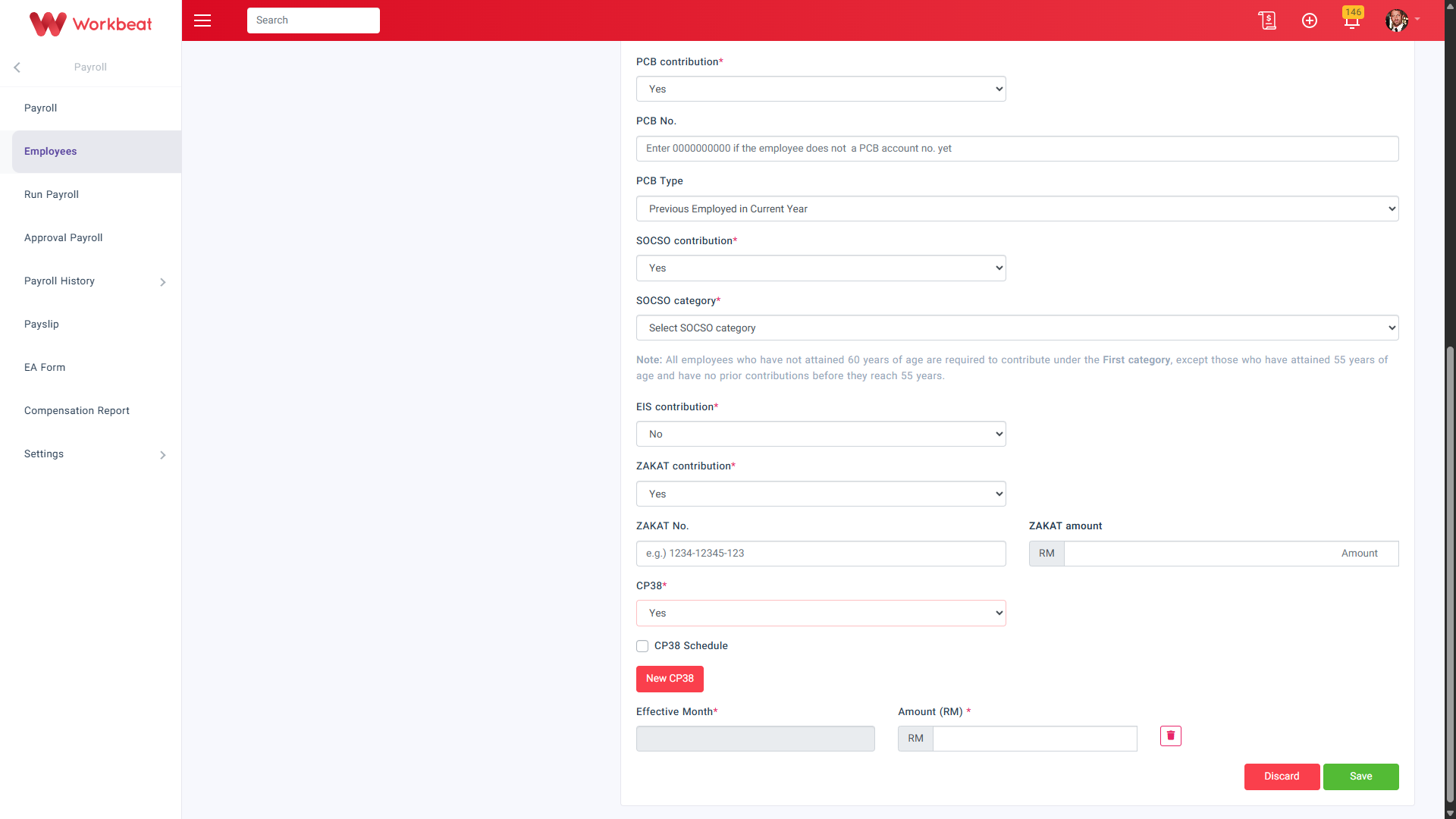
Click Save once all statutory details have been updated.