Payroll items - deductions

Payroll deduction is anything that is taken from an employee's pay, whether it is pre-tax or post-tax, other than payroll taxes.
Path : Payroll > Settings > Payroll Items
On the Payroll Items page, click the Deductions tab to view the list of deduction items.


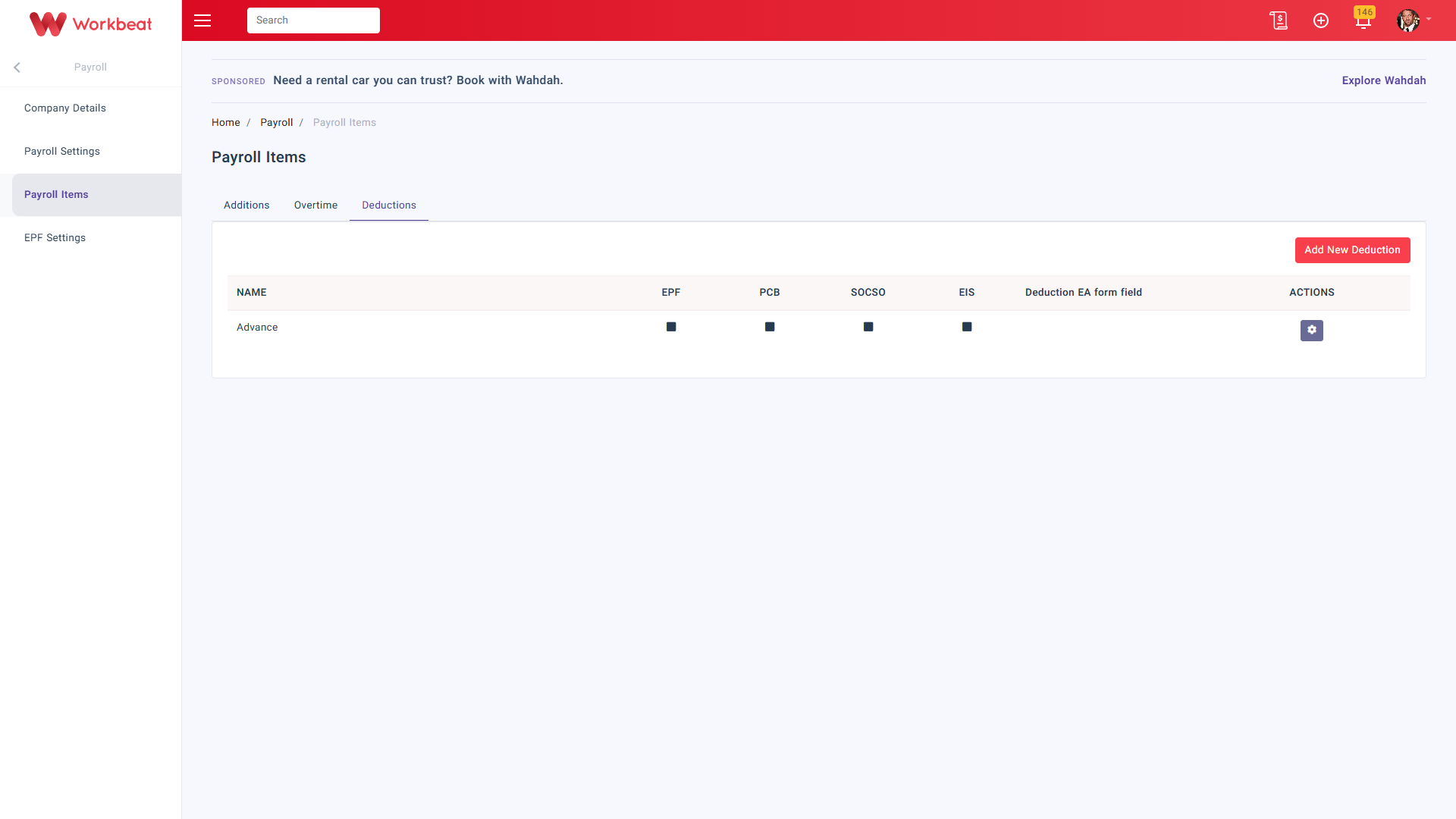
Click Add New Deduction to create a new deduction item, or click Edit under Actions to update an existing deduction item.
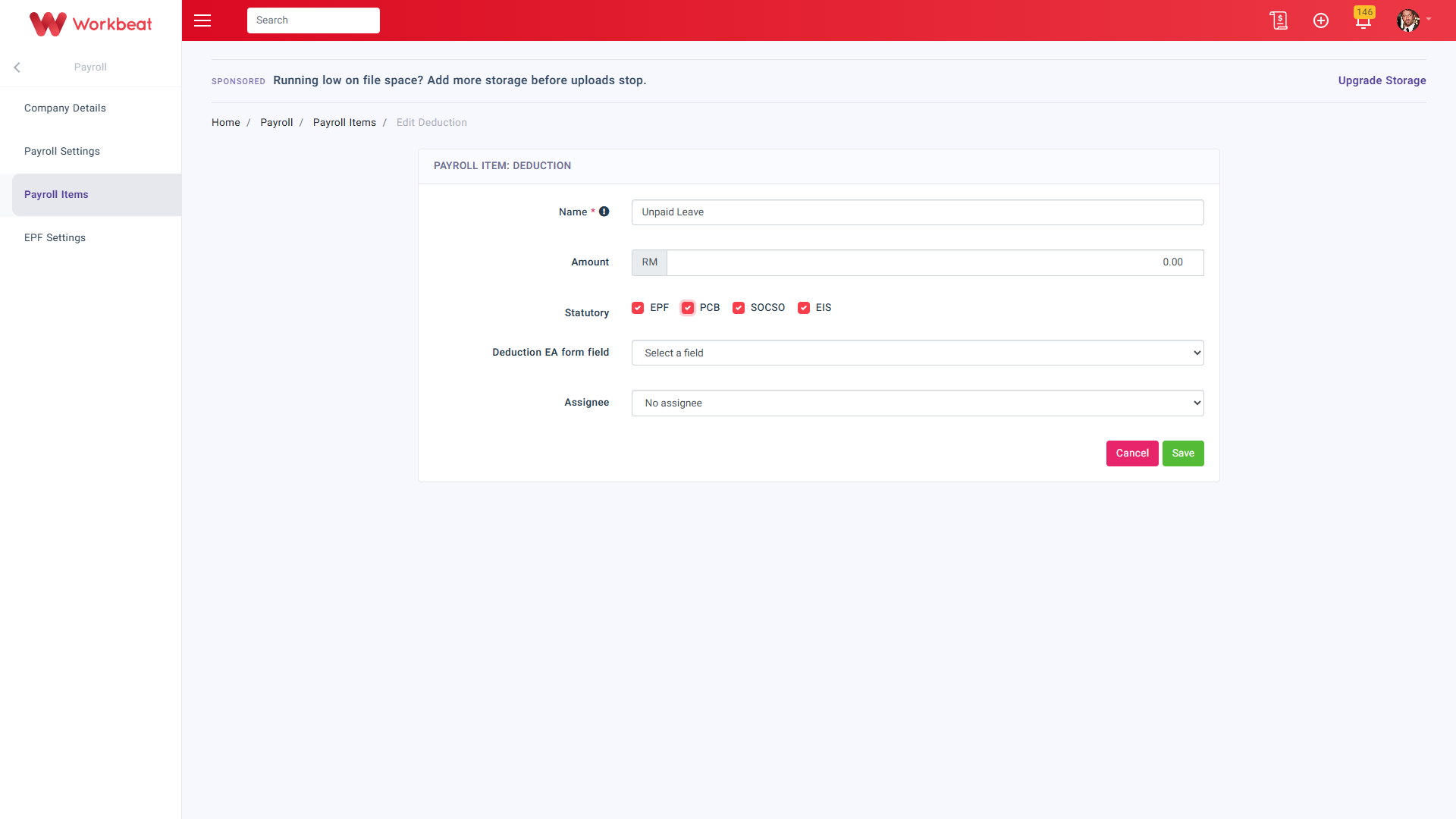
Name
Enter the deduction item name, for example Advance or Unpaid Leave.
Amount
Enter the deduction amount if you want to set a fixed value.
For Unpaid Leave, if the Amount field is left empty, the system will automatically calculate the employee’s unpaid leave rate during payroll run based on a 26 days basis. This is used as a fixed rate calculation in accordance with the Employment Act 1955 on Ordinary Rate of Pay (ORP).
If your company does not practise the 26 days basis, you must manually calculate the unpaid leave rate for each employee and enter the amount in the Amount field. The entered amount will overwrite the system auto calculation.
EPF / PCB / SOCSO / EIS
Tick the relevant statutory contribution setting if the deduction should affect the statutory calculation.
Deduction EA form field
Select the related EA form field if the deduction needs to be mapped for EA form reporting.
Assignee
Choose whether the deduction is assigned to:
- No assignee
- All employees
- Select employees
If Select employees is chosen, the Employee field will appear and you may select the employee name.
Important for Unpaid Leave
If your company needs different unpaid leave rates for different employees, create a separate Unpaid Leave deduction item for each employee. This is to ensure the correct rate is applied during payroll calculation.
Click Save once the deduction item has been updated.