Update employee information data

Most of the employee information that you uploaded in the beginning is already available in this section. However, it is still inadequate for running your Payroll. Additional information required in this record are:
- Employee information
- Bank & Statutory
Go to this following page to start adding your Employee Information Data.
Path : Payroll > Employees
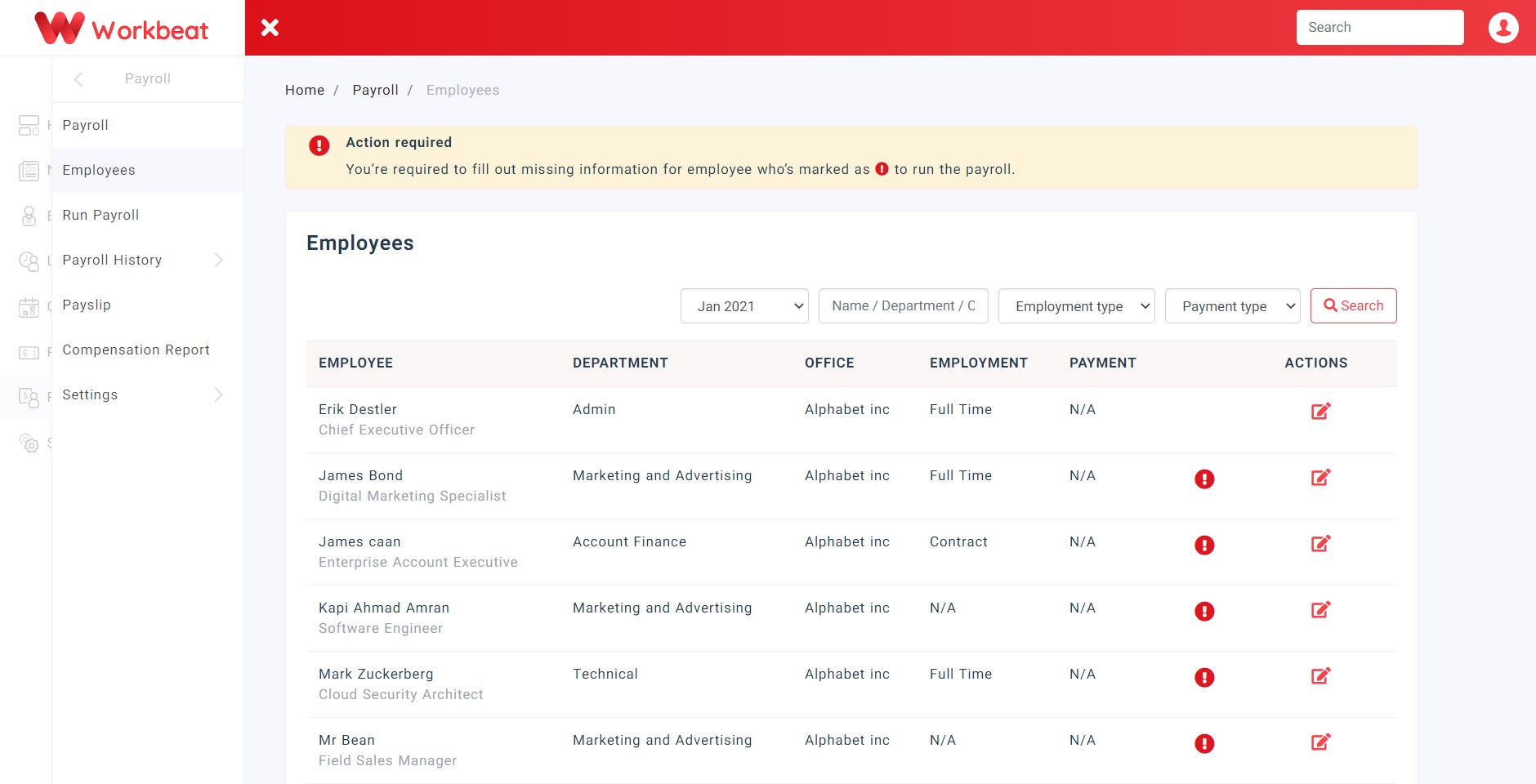
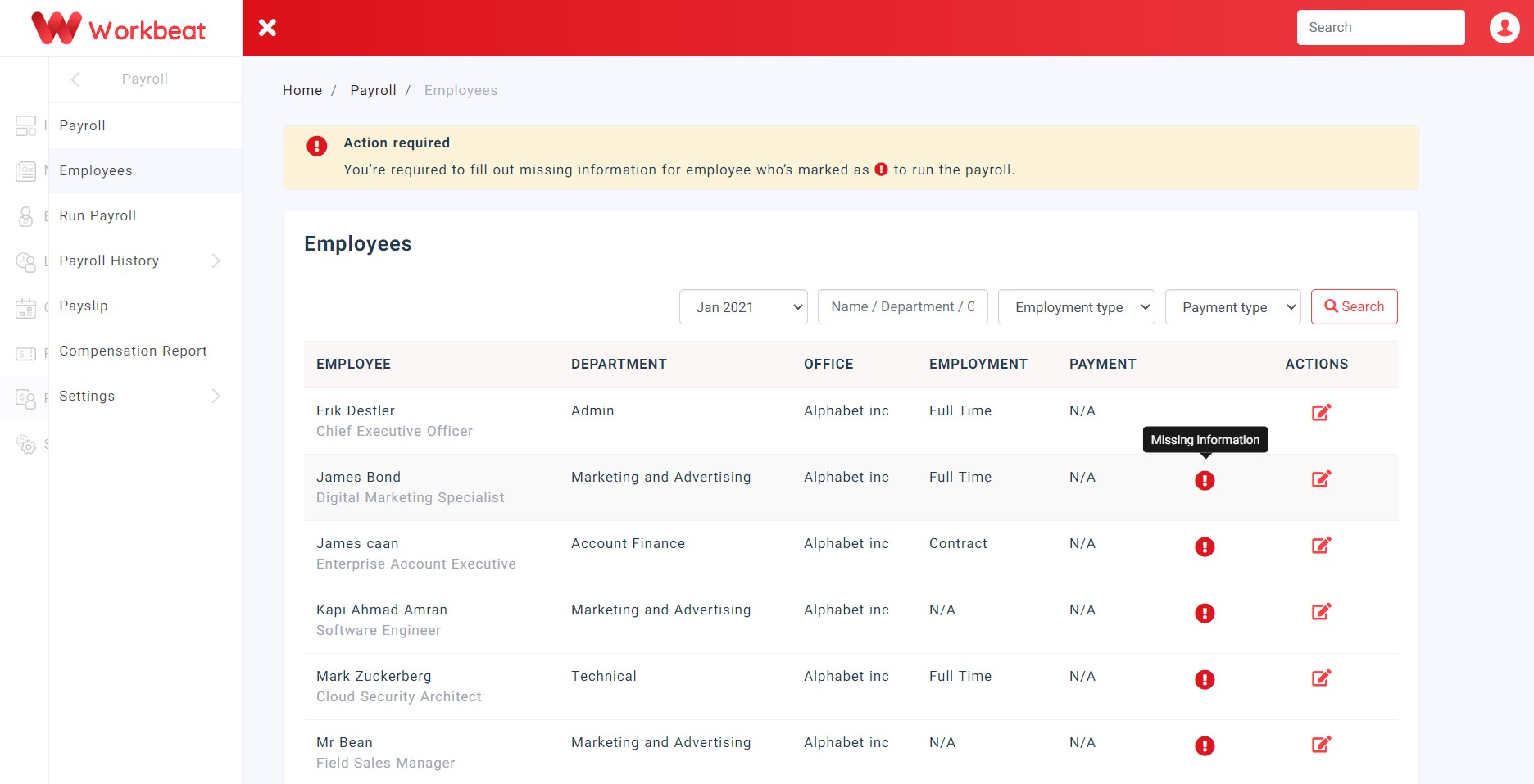
Click on the Edit icon to edit specific employee’s data or click on the exclamation icon to insert missing information. It will automatically redirect to the employee’s edit page.
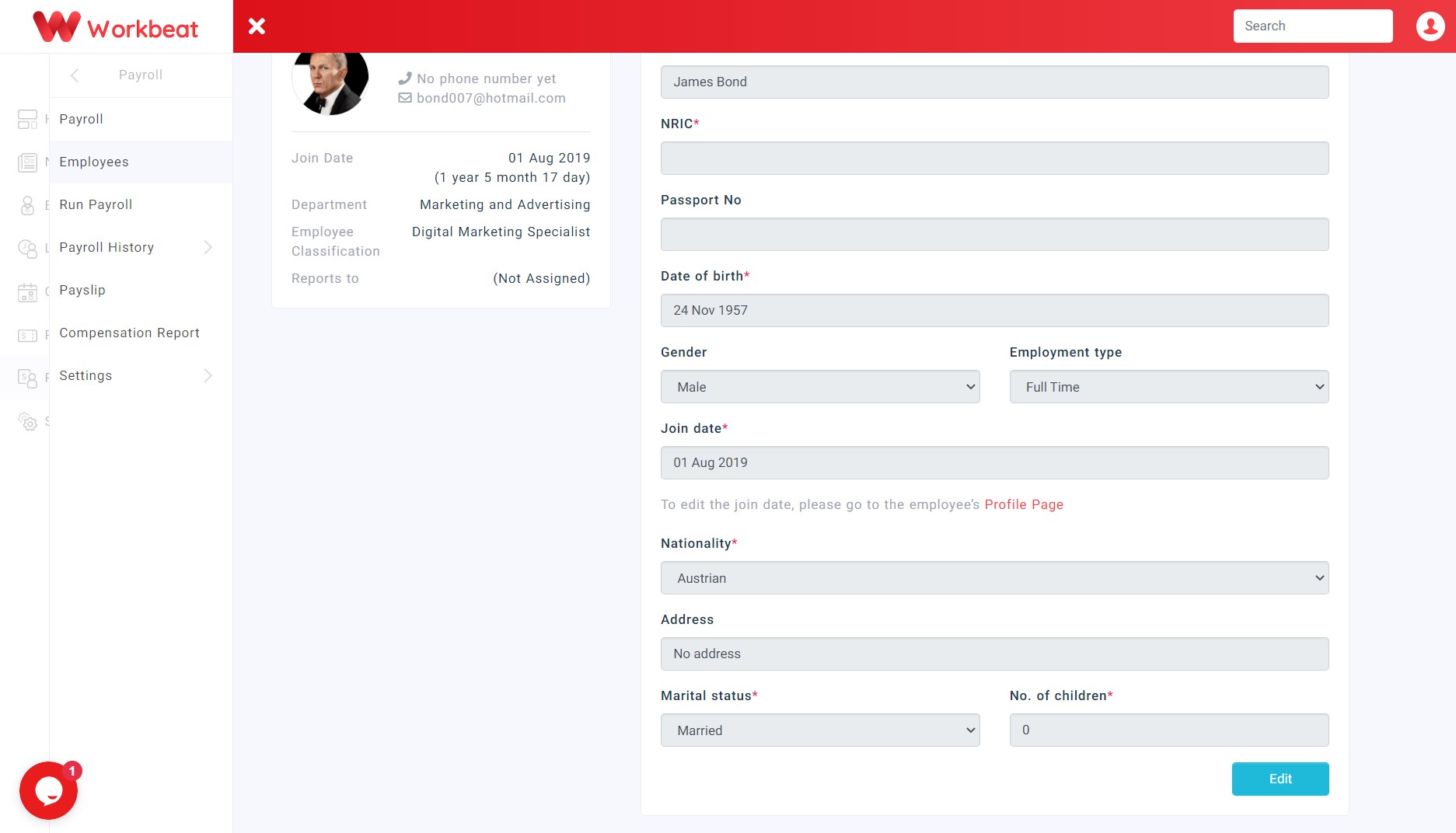
Scroll down and click on the Edit button start editing the missing details.
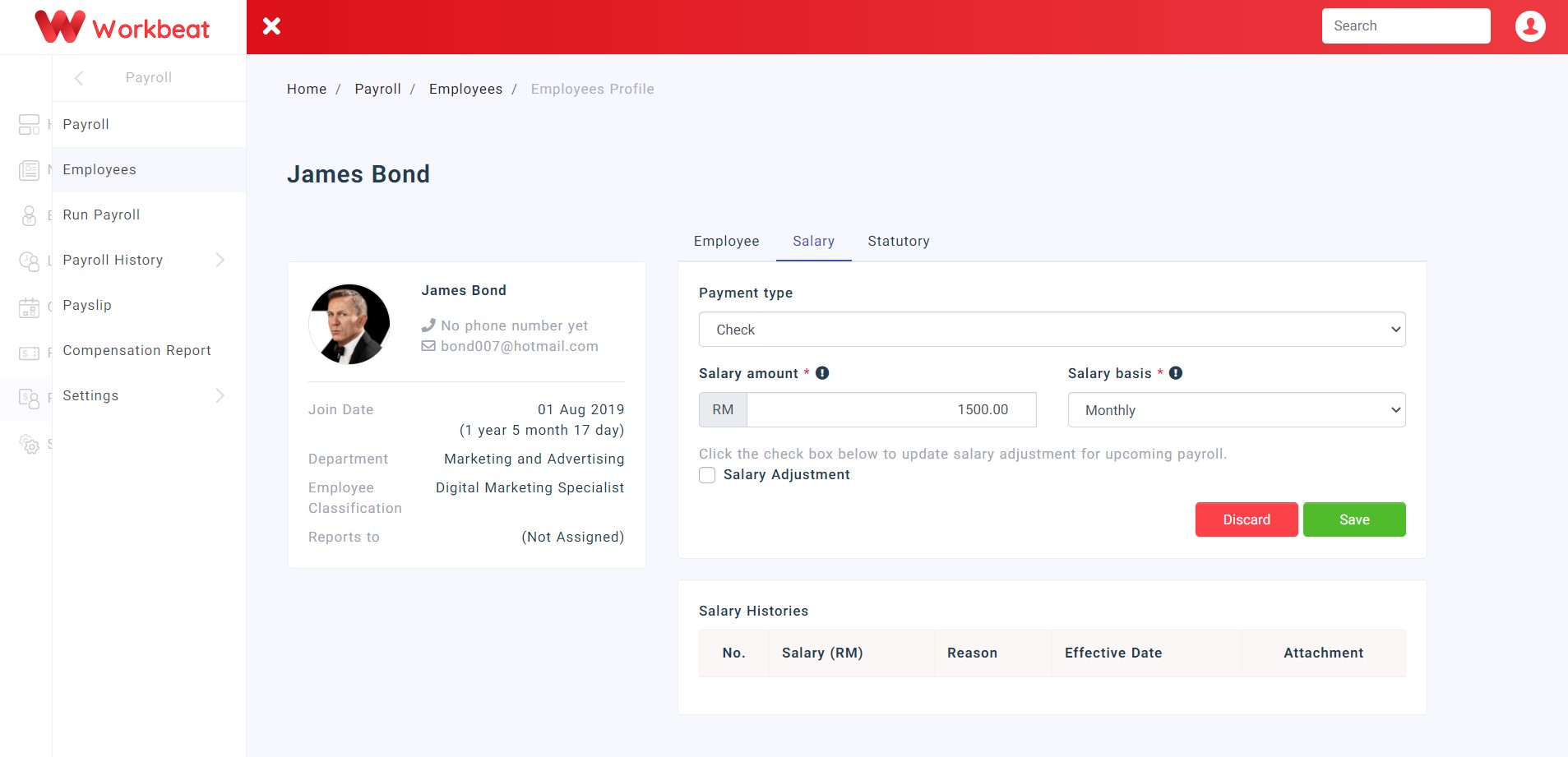
Click on the Salary tab to edit salary details.
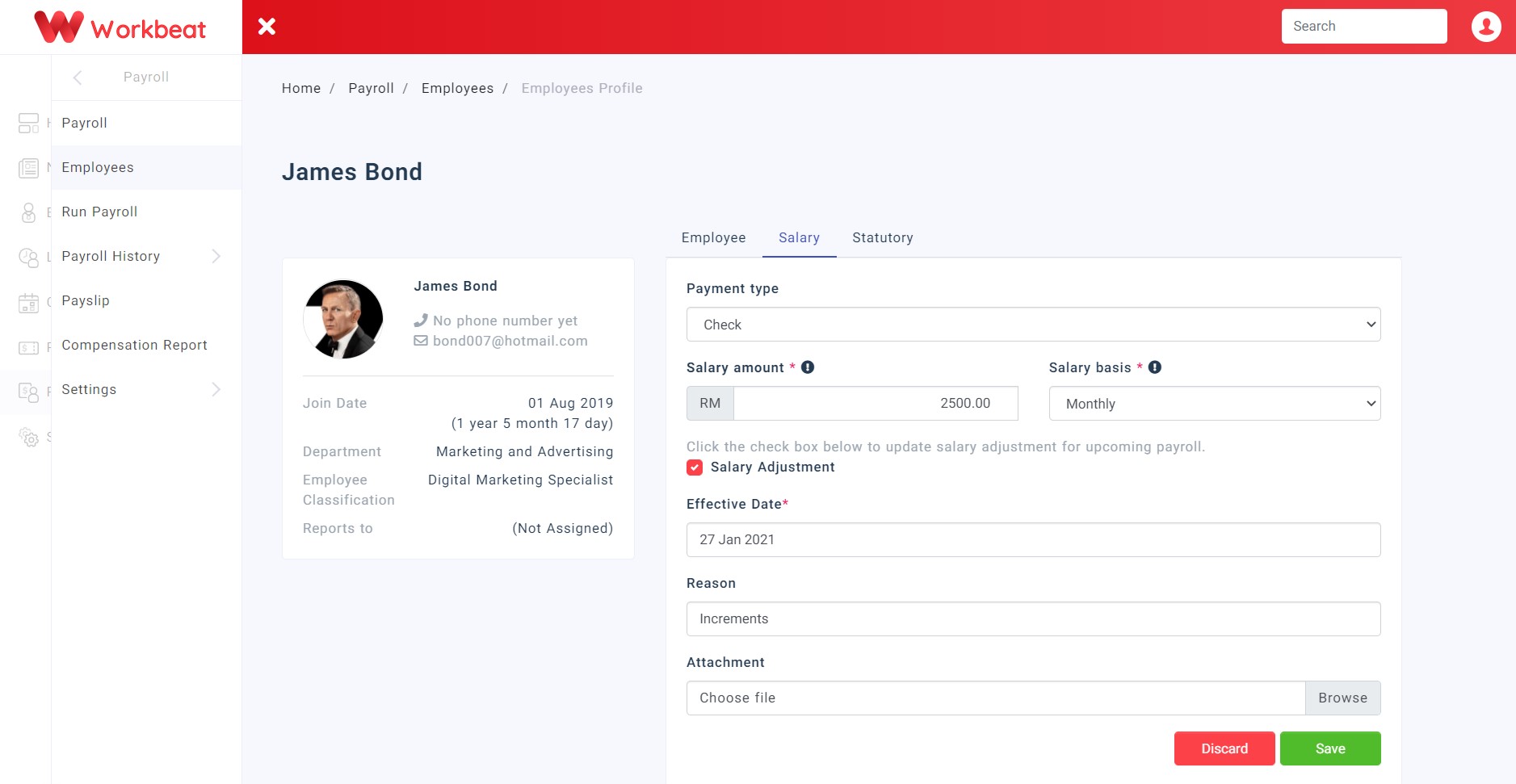
Click on the Salary Adjustment checkbox to adjust incoming payroll salary.
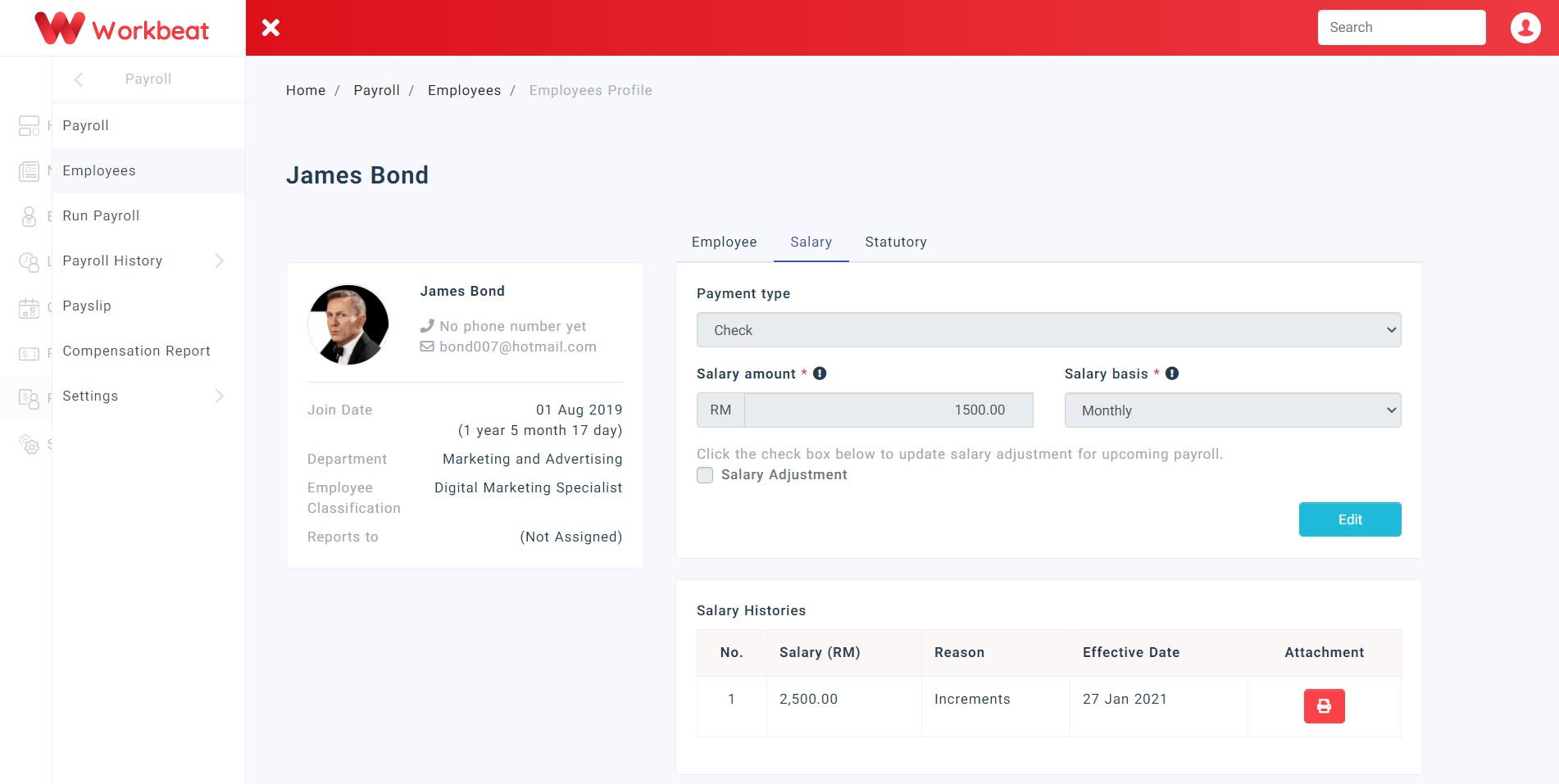
Every salary adjustments will be listed below under Salary Histories.
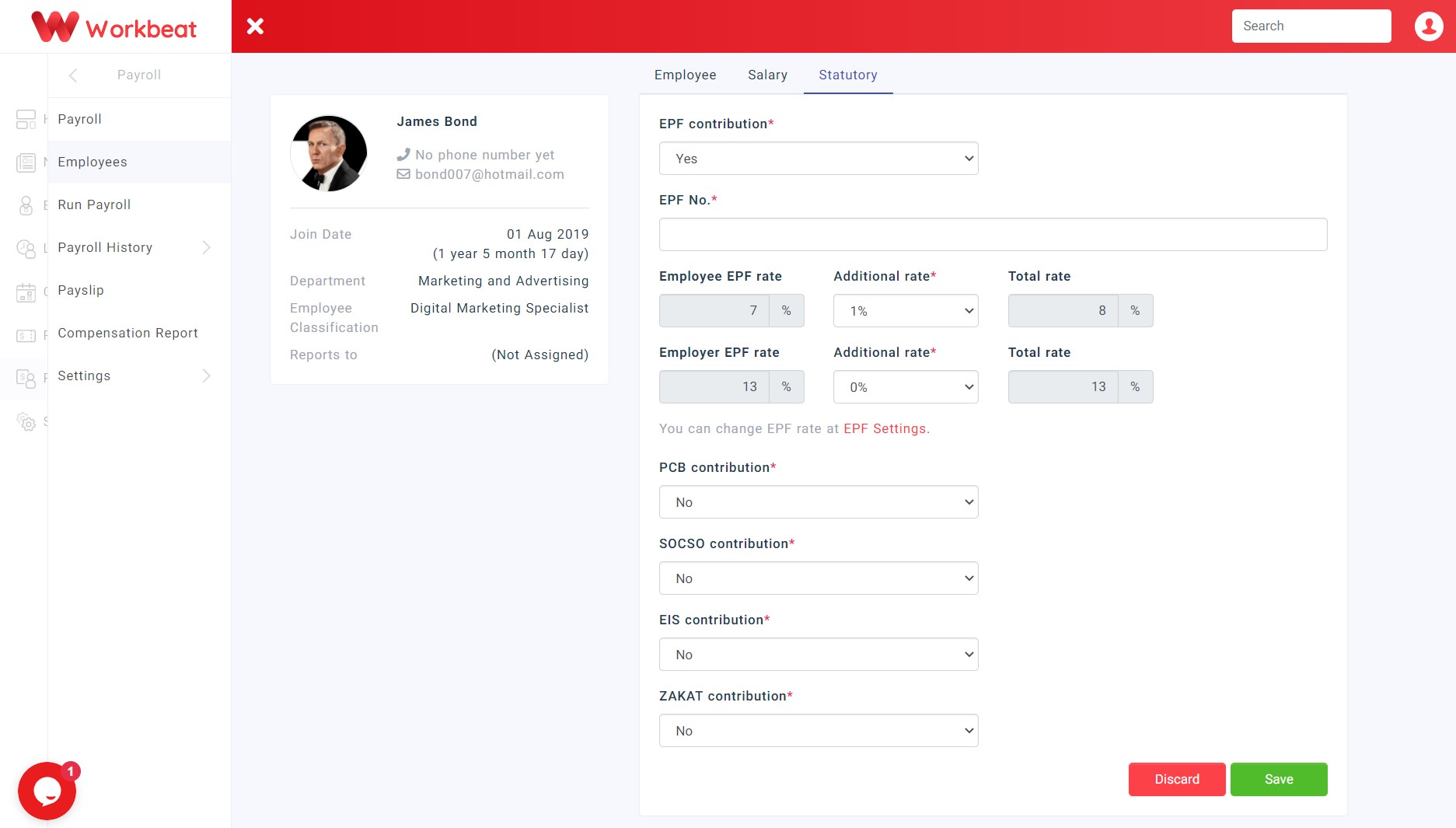
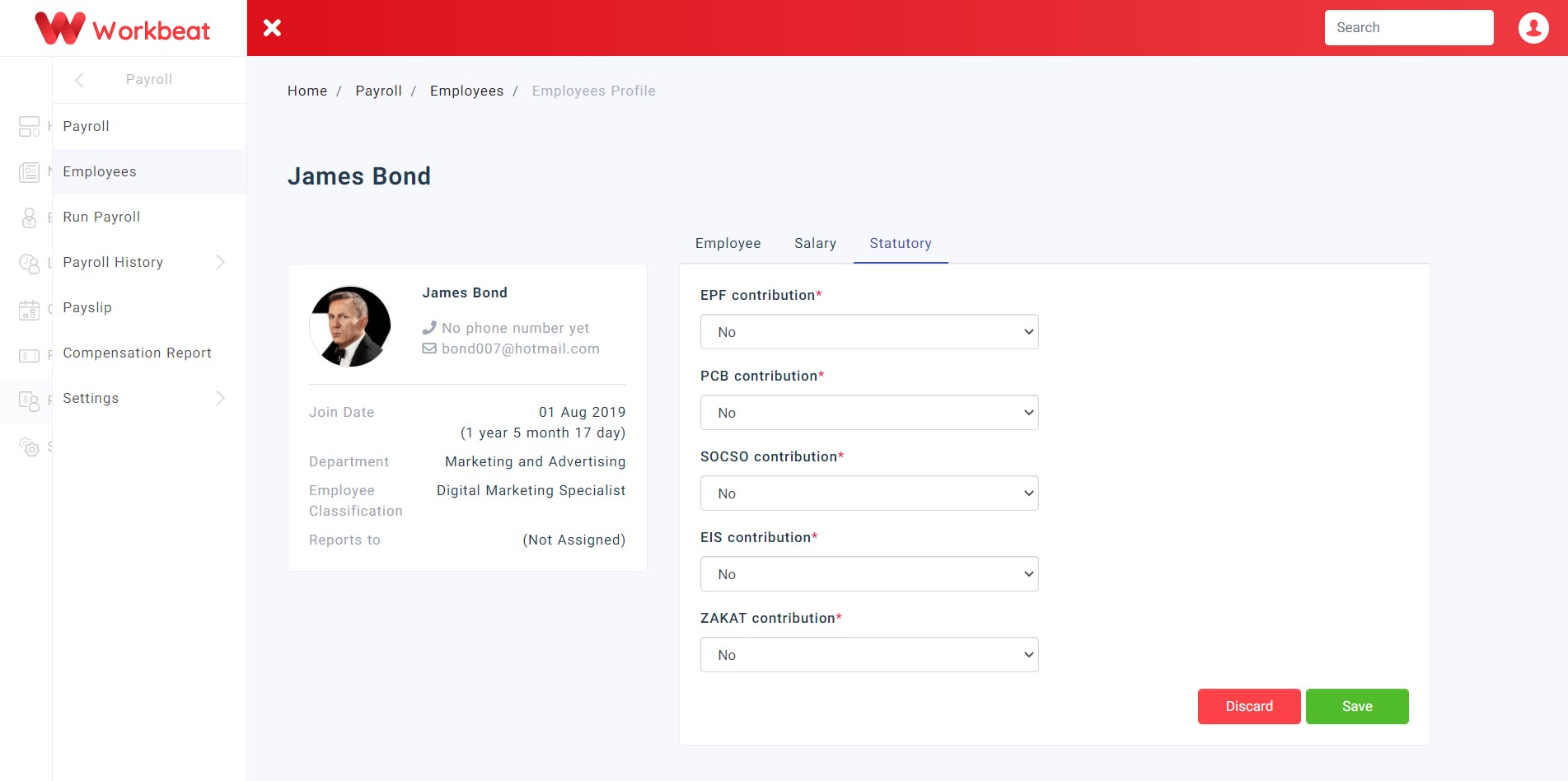
Click on the Statutory tab to edit statutory details.
Select additional rate from the drop down list e.g. 1 %
The total rate will be 7% + 1% = 8% (Total rate)