People

Curricullum Vitae
Workbeat
12 May 2026 8:39 AM
The Curricullum Vitae page allows you to prepare an employee CV in Workbeat and export it as a PDF.
Path : Employees > select employee > Curricullum Vitae
On this page, the employee basic details such as Name, Job Title, Email, and Contact will be displayed automatically.
You may fill in the Professional Summary to describe the employee profile.
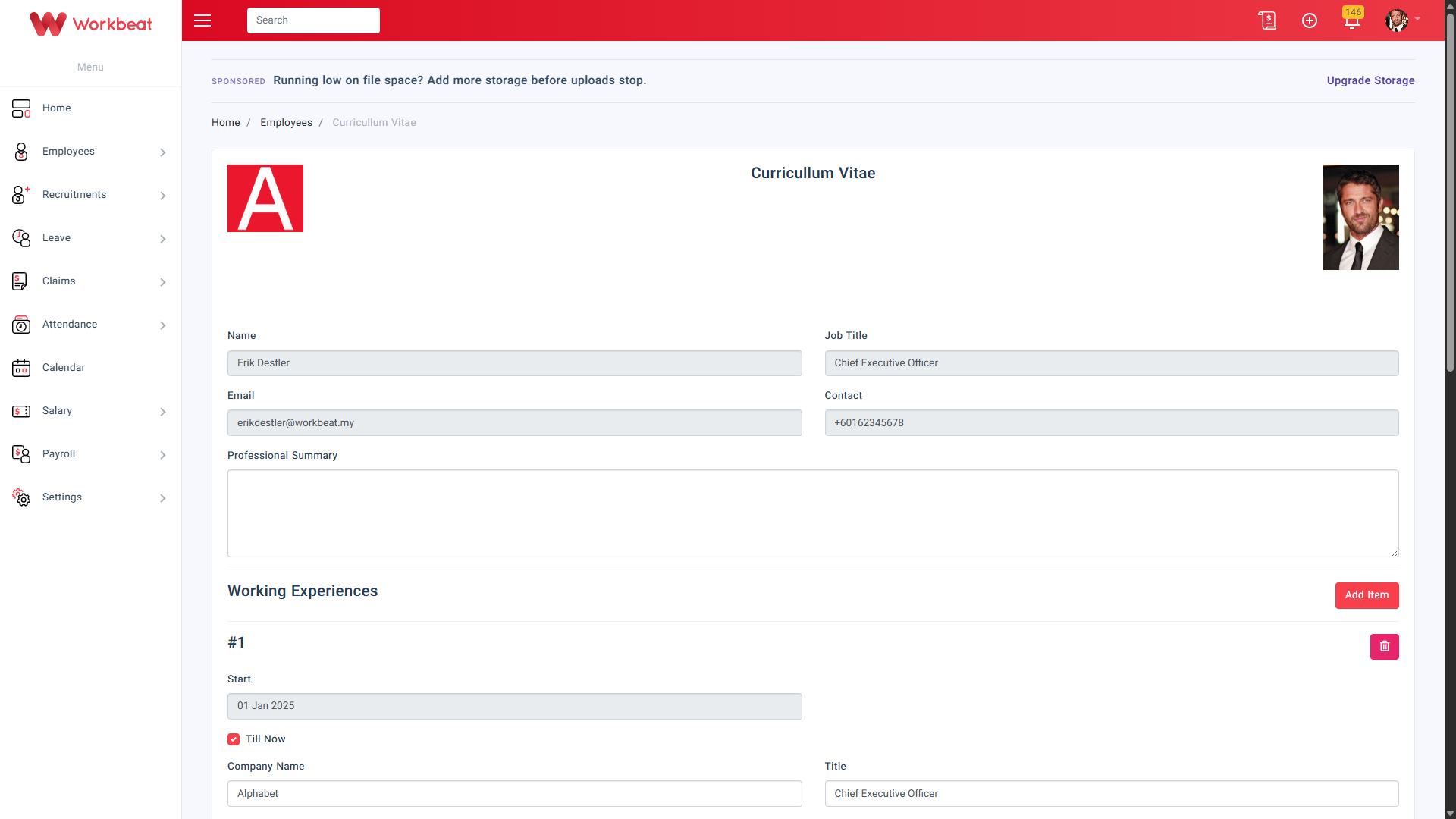
Under Working Experiences, click Add Item to add the employee’s work history.
Fill in the following details:
- Start
- End
- Till Now
- Company Name
- Title
- Description
If the employee is still working in the role, tick Till Now.
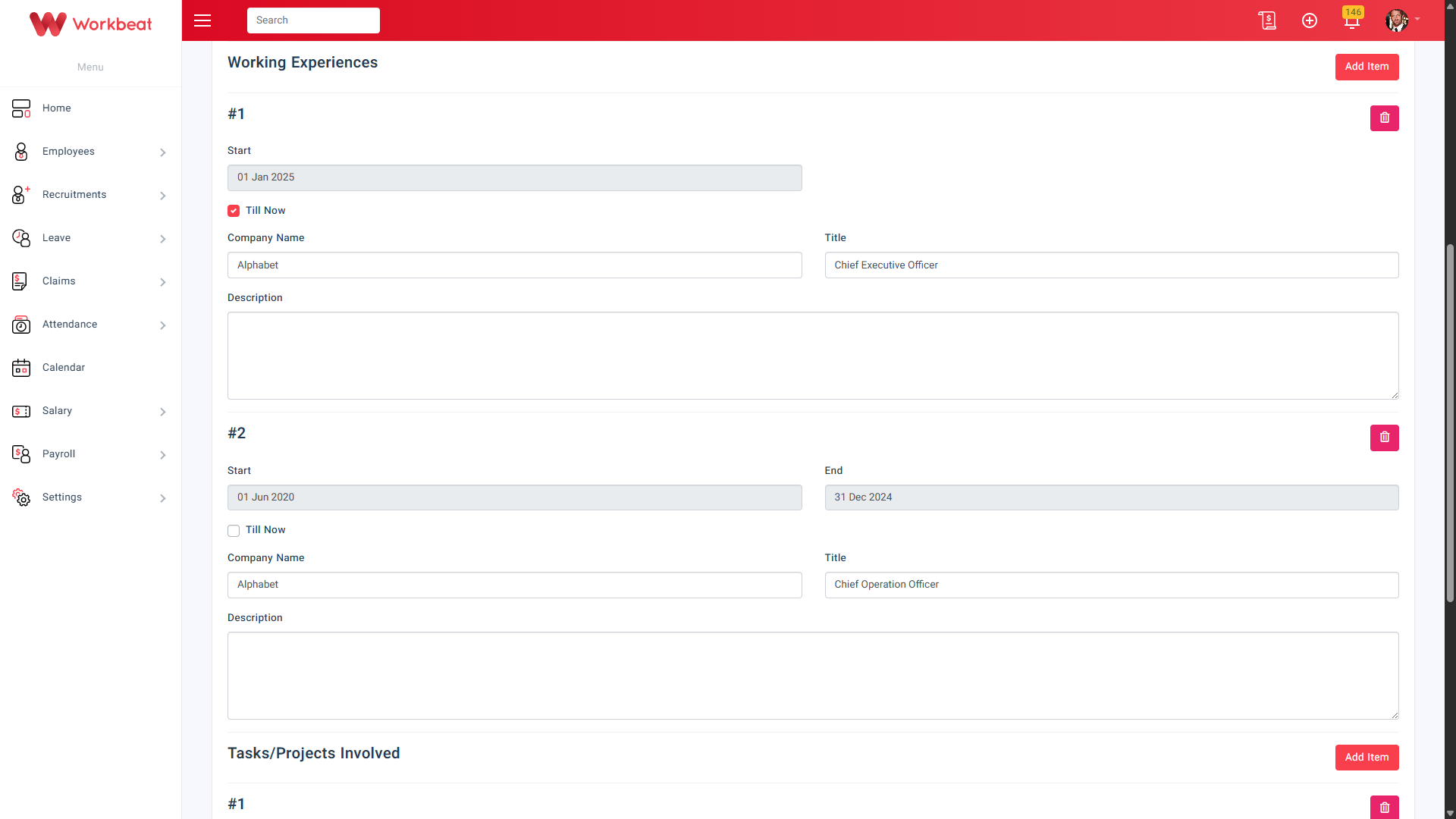
Under Tasks/Projects Involved, click Add Item to add project or task details.
Fill in:
- Title
- Description
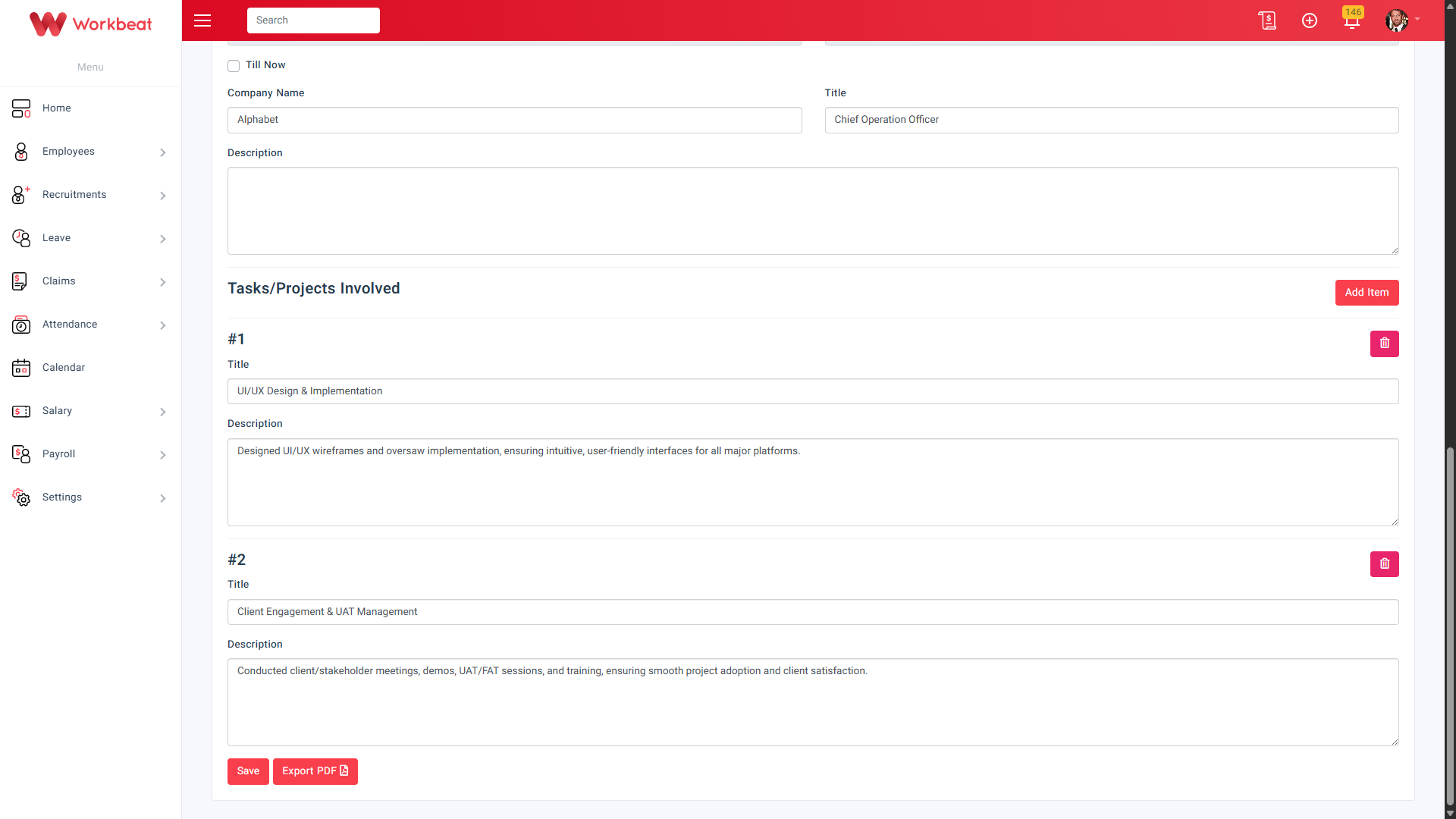
Click Save to update the CV.
If you want to download the employee CV, click Export PDF.