Create, Edit & Delete a user group

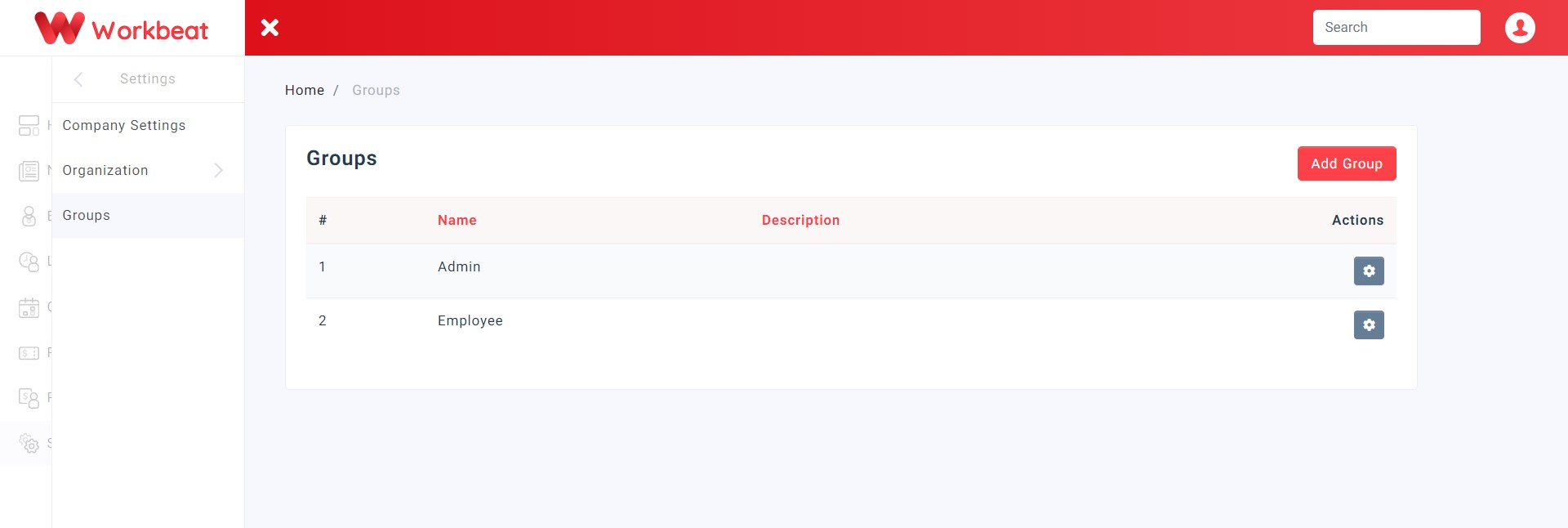
The Admin & Employee group is generated in default.
Create Group
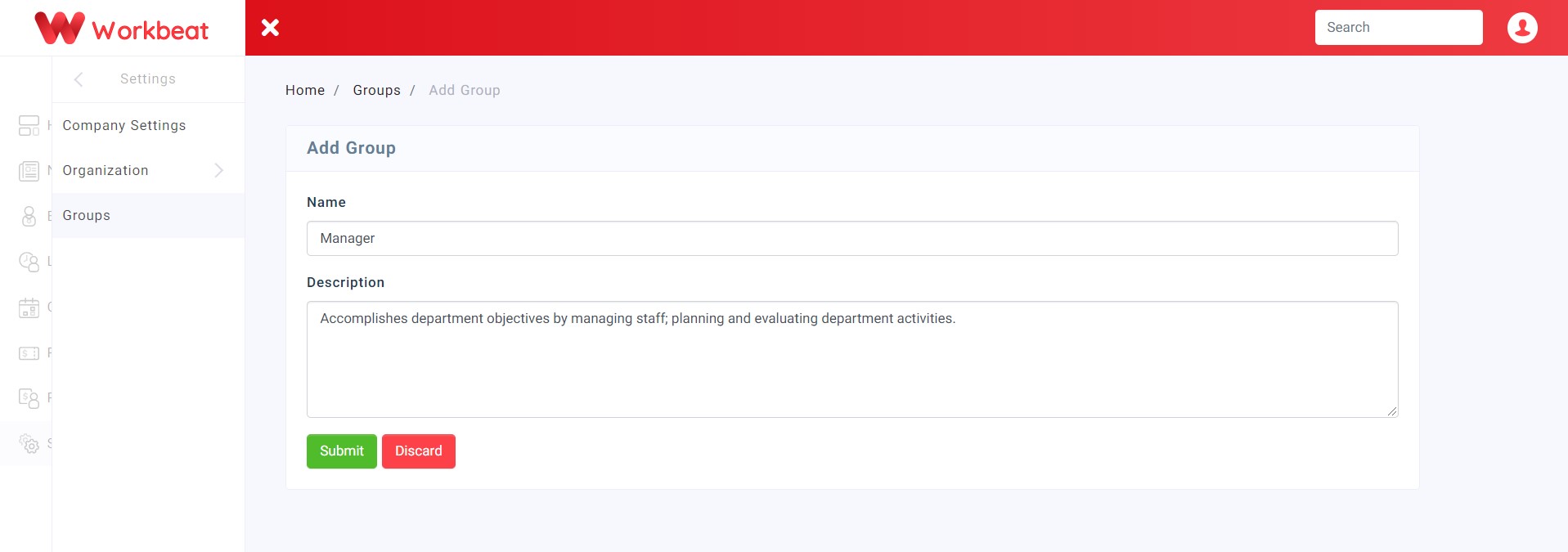
You can create new user groups with permissions for your Workbeat account. After you add a new group, don't forget to select an employee who belongs to this group.
Path : Settings > Groups
Fill in the form according to the fields and click on the Submit button.
_____________________________________________________________________________________________
Edit Employees
Here you can insert employees based on their user access groups by clicking on the Edit Employees button.
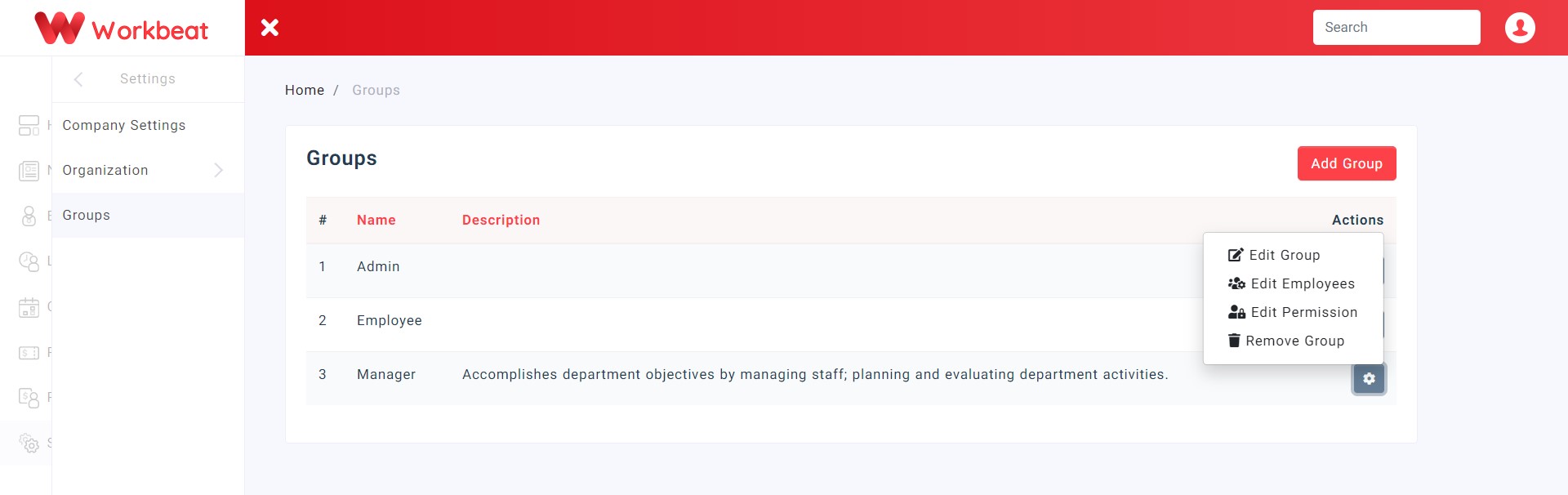
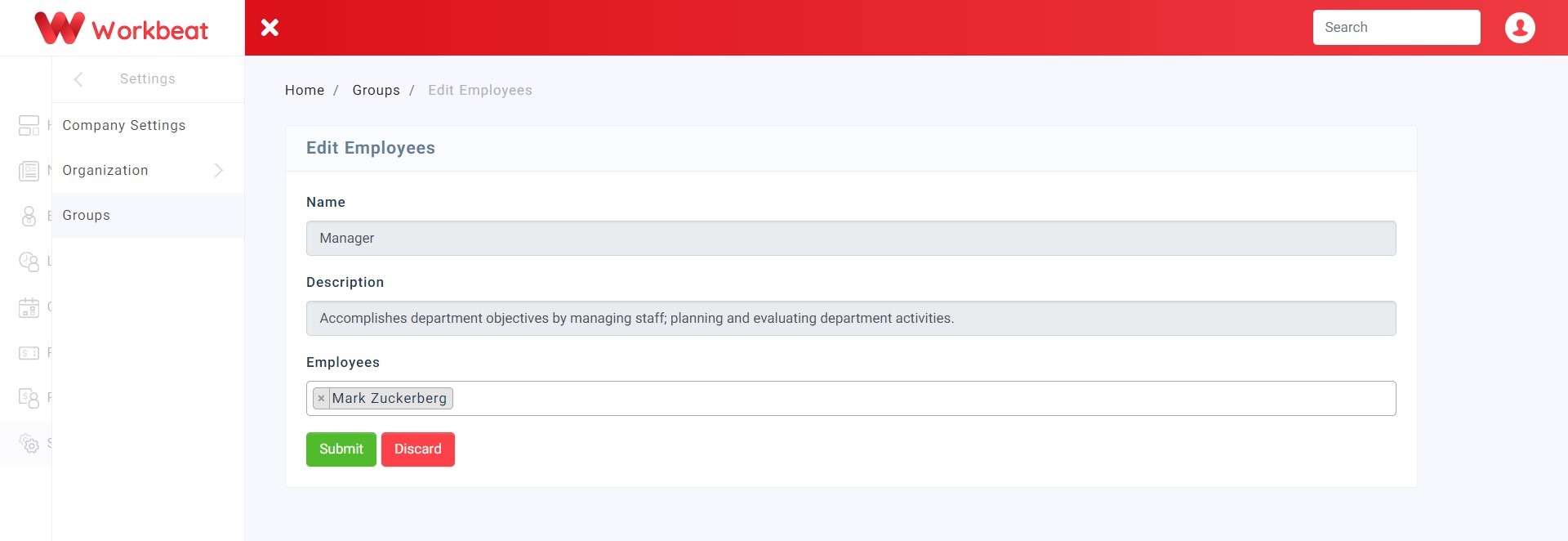
You can select a drop down list of employees to add into the specific group or remove existing employees then click on the Submit button once done.
_____________________________________________________________________________________________
Delete Group
Take note that the default group (Admin ,Employee) cannot be deleted. The Remove Group button is only visible to the newly created group.