Settings

Set Up Company Details
Workbeat
22 Sep 2025 7:16 AM
Setting up your company details in Workbeat is straightforward.
Path : Settings > Company Settings
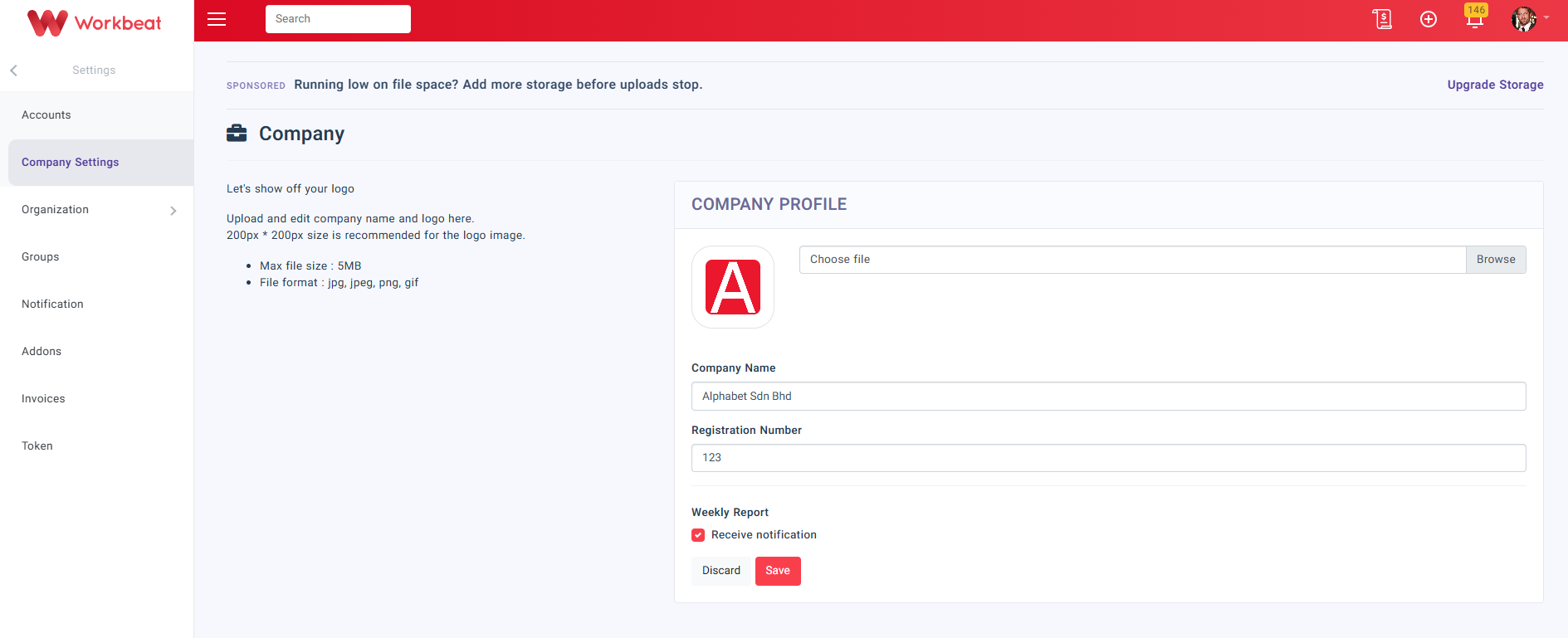
On the Company page, upload your company logo, then fill in the Company Name and Registration Number.
Click Save to update the company profile.
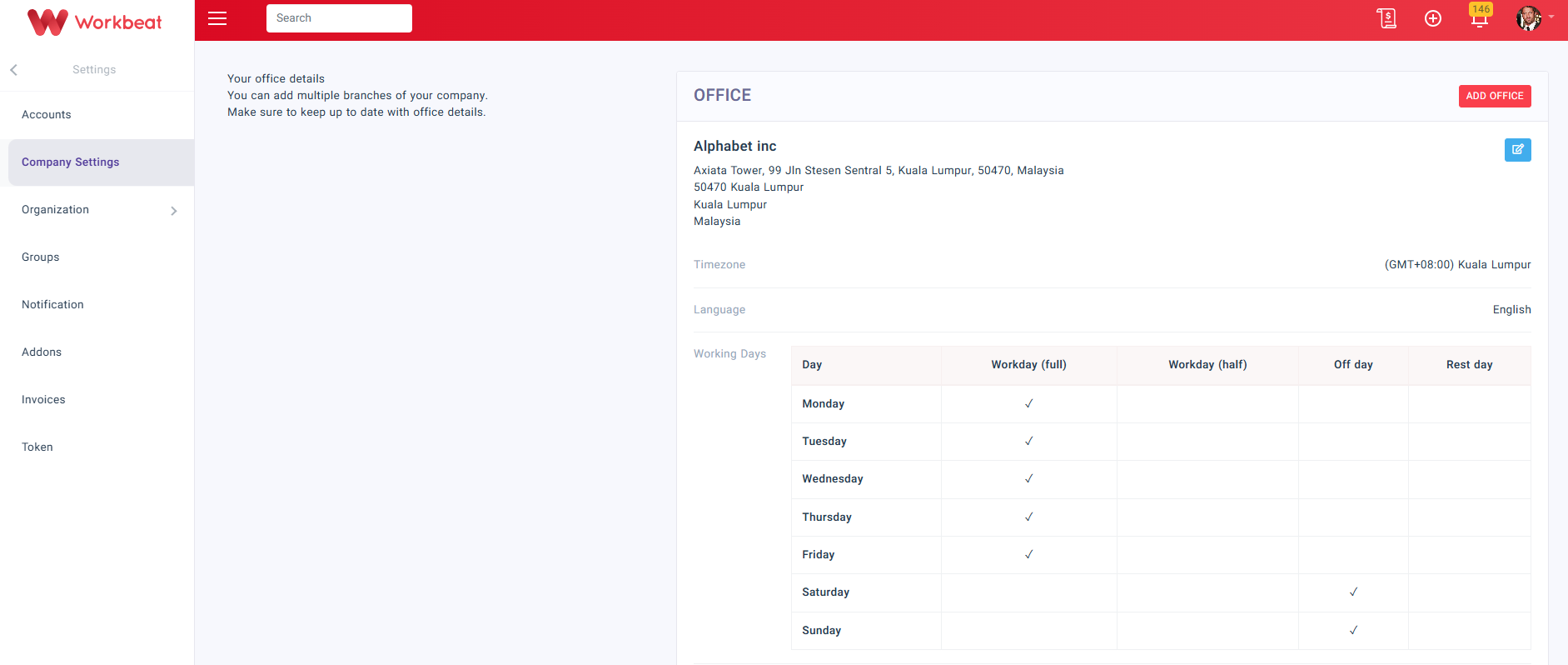
Next, scroll to the Office section to manage your office details.
To add a new office, click Add Office.
To update an existing office, click Edit Office.
In the Edit Office page, fill in the office details such as:
-
Name
-
Working Days
-
Street Address
-
Country
-
City
-
Postal Code
-
State
-
Time Zone
-
Phone No
You can also update the office location using the map. The system will display the Latitude and Longitude automatically.
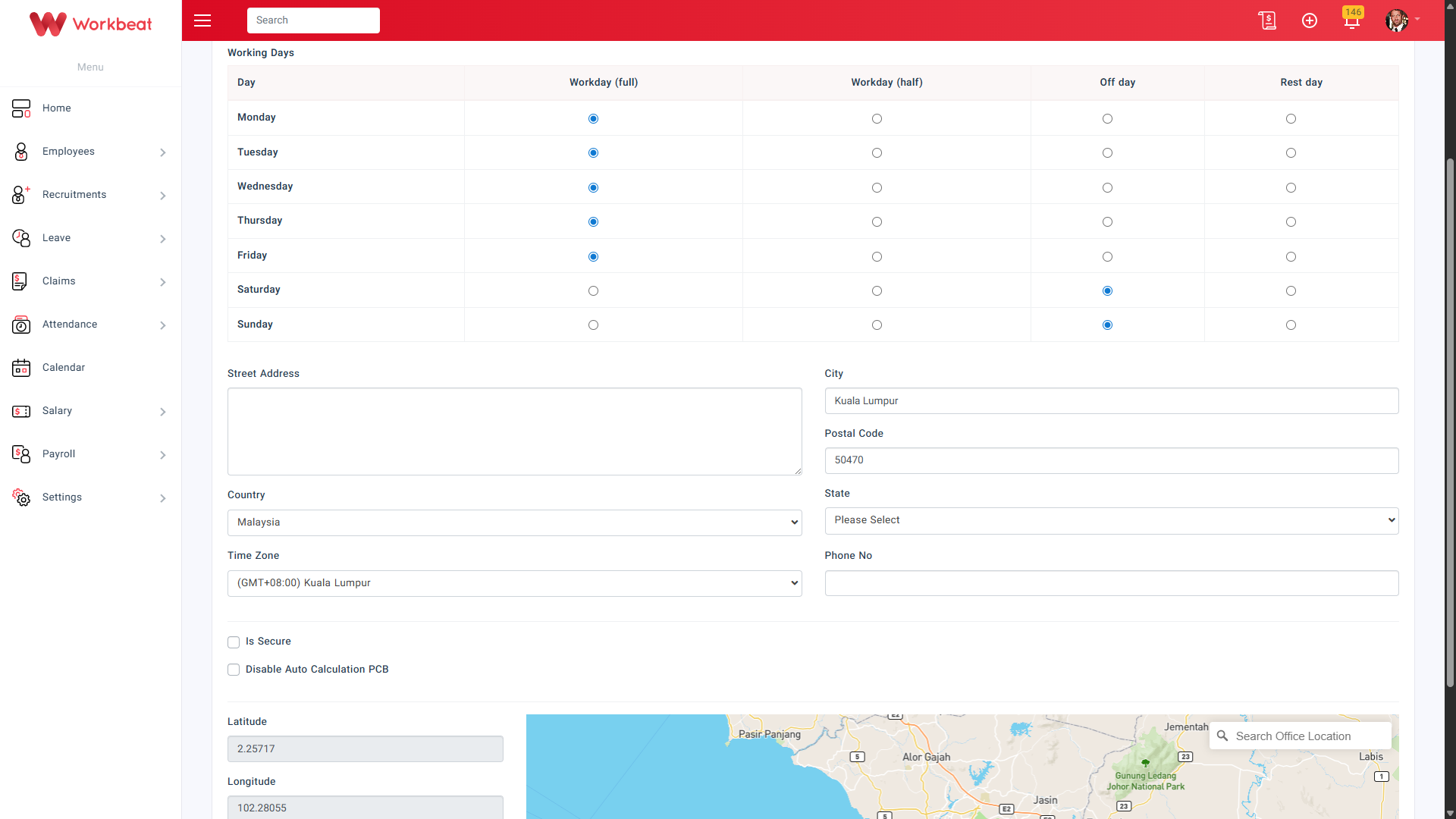
Click Submit to save the office details.