Settings

Set Up Group User Permission
Workbeat
22 Sep 2025 7:16 AM
In this step, you're about to define the type of login group and manage what they can see.
Edit Permission
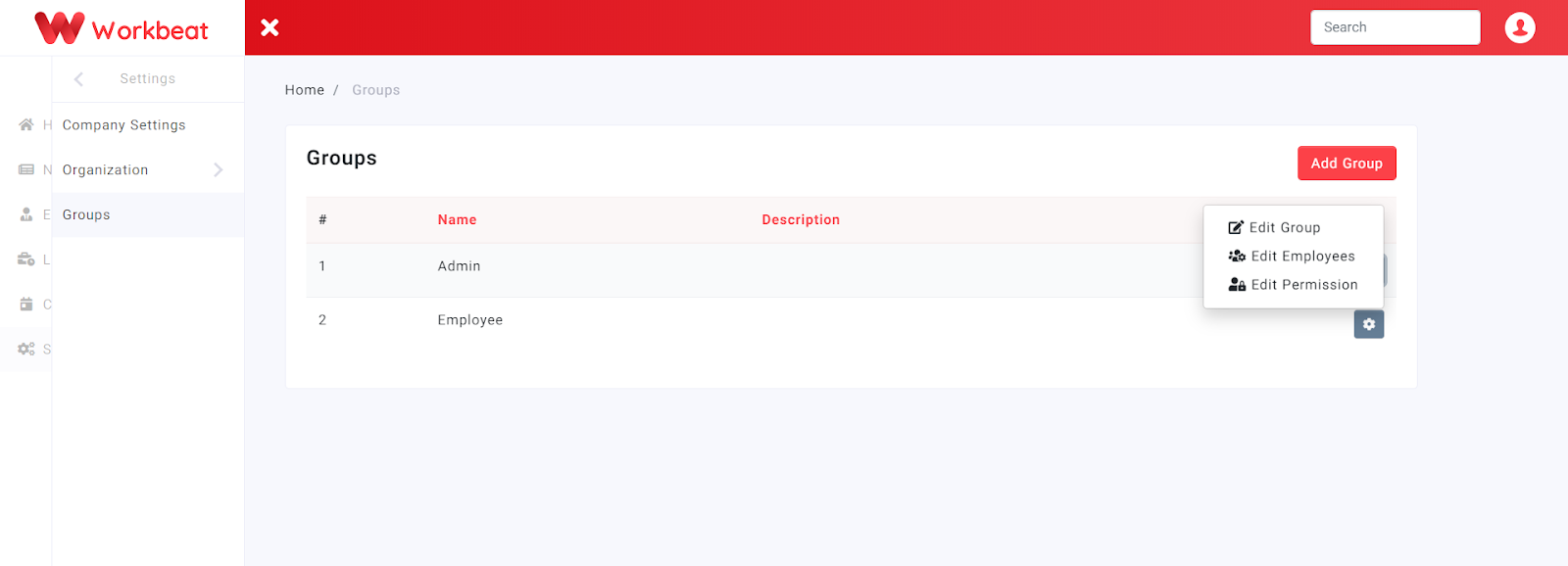
Here you can edit permission access based on group type by clicking on the Edit Permission button
Path : Settings > Groups
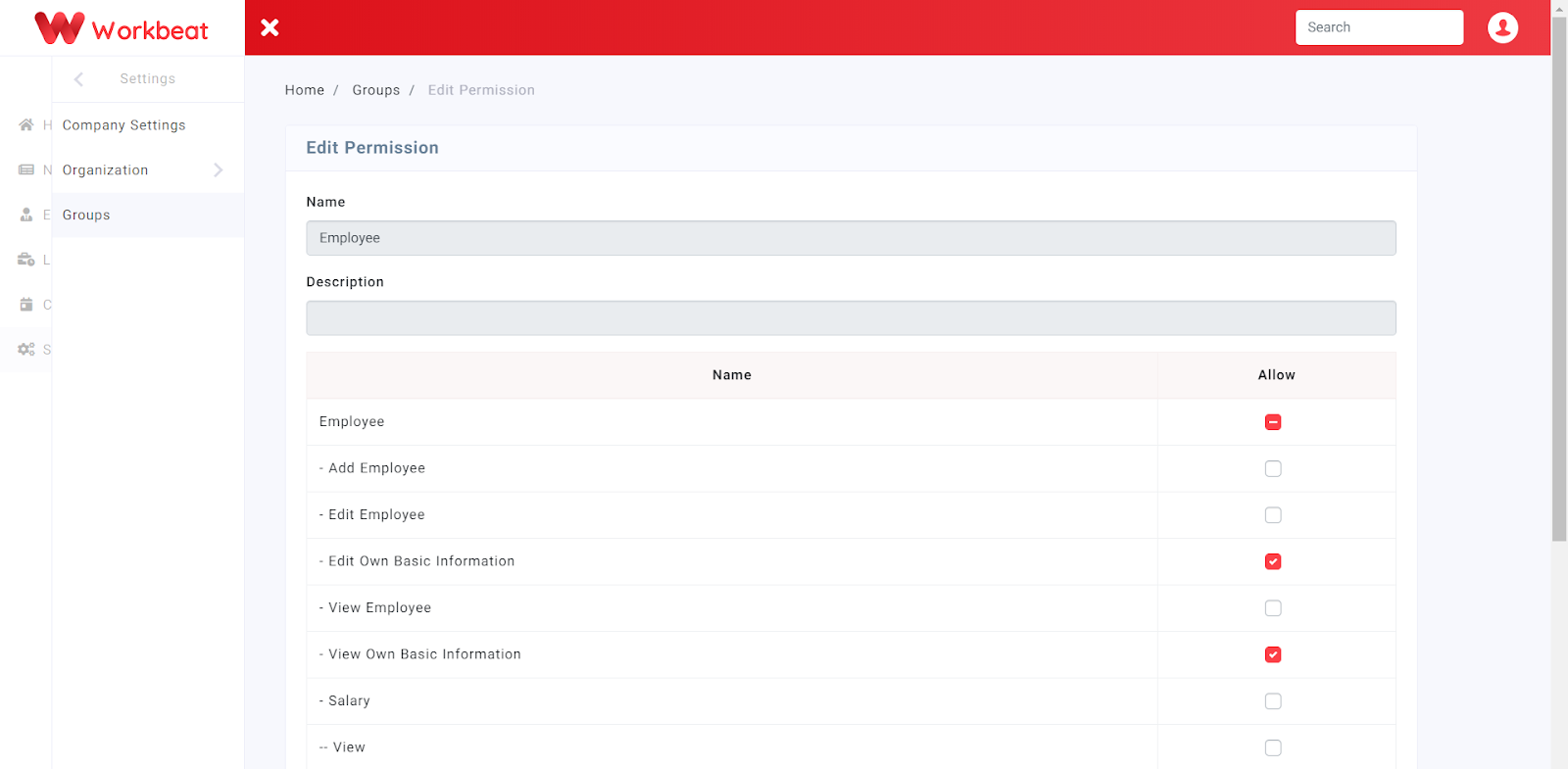
Admin group will automatically be given access to all Workbeat features whereas for the employee group, is it advisable to give access to ONLY these 2 features based on the diagram below.